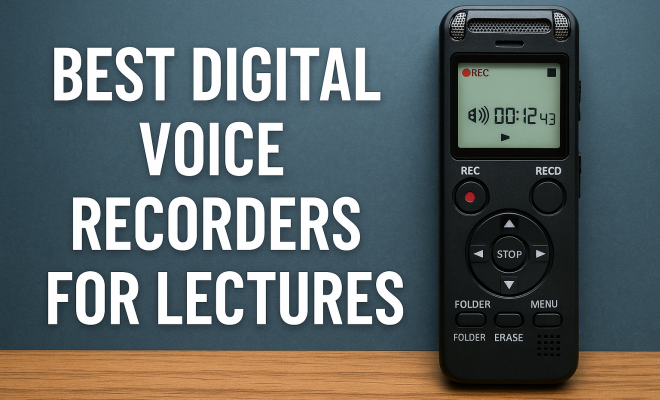
Best Digital Voice Recorders for Lectures
“`html
In the age of technology, capturing lectures and important discussions has never been easier. The best digital voice recorders are designed to help you ensure every word is documented accurately, whether you’re a student, a journalist, or a professional needing to record meetings. With a plethora of options available, it can be overwhelming to select the right one. This guide will explore the top ten digital voice recorders that stand out for their features, reliability, and sound quality.
1. Zoom H1n Handy Recorder: The Versatile Workhorse
The Zoom H1n is a compact, portable recorder favored by students and professionals alike. With its dual XY microphones, it captures stereo audio with remarkable clarity, making it an excellent choice for lectures. Its simple interface allows you to start recording quickly, which is crucial in a classroom setting.
One of the standout features of the H1n is its built-in limiter, which prevents distortion when recording loud sounds. You can also connect an external mic for enhanced quality. With a battery life of up to 10 hours and the ability to record in WAV and MP3 formats, it’s versatile enough to meet various recording needs.
2. Sony ICD-UX570: Sleek and Capacitative
The Sony ICD-UX570 is an ultra-slim digital voice recorder that excels in capturing clear audio during lectures. With a built-in stereo microphone, this device is particularly effective in environments with background noise, thanks to its intelligent noise cutoff feature. This makes it ideal for lectures held in busy or crowded locations.
Its intuitive user interface, complete with a touch screen, makes navigating through recordings a breeze. The ICD-UX570 can store up to 4GB of internal memory, expandable via microSD, offering plenty of space for multiple lectures. Additionally, it supports various file formats, including MP3 and WAV, giving you flexibility when sharing your recordings.
3. Tascam DR-05X: A Step Up in Quality
The Tascam DR-05X offers professional-grade recording quality in a user-friendly package. It features high-sensitivity microphones that can capture sounds from a distance without compromising on quality. This attribute makes it particularly useful for larger lecture halls where the lecturer might be far from the recorder.
Additionally, it allows for multi-track recording, giving users the option to layer audio from different sources. The DR-05X is powered by two AA batteries, providing a long recording time, which is essential for extended lectures or seminars. It can also connect directly to a computer, making it easy to transfer files for editing or sharing.
4. Olympus WS-853: Exceptional Battery Life
If you’re looking for a reliable recorder with an impressive battery life, the Olympus WS-853 should be on your radar. This device boasts a recording time of up to 110 hours, ensuring that you never miss a moment of your lectures. Its intelligent auto mode automatically adjusts the recording level depending on the volume of the sound, which is perfect for varying lecture environments.
The WS-853 also features a voice balancer that helps enhance the clarity of recorded voices, making it a great choice for lectures where the speaker’s voice may need to stand out from ambient noise. The built-in 8GB memory can be expanded with microSD, allowing you to store all your lectures without running out of space.
5. Vivitar DVR508: Budget-Friendly Option
For students on a budget, the Vivitar DVR508 offers a good balance between price and performance. This lightweight device is easy to carry around and has a simple interface, perfect for those who need basic recording capabilities without the frills. Despite its lower price point, it still captures clear audio, making it suitable for lectures. (See: voice recorders for lectures.)
The DVR508 features a USB connection for easy file transfer to computers, allowing you to organize or back up your recordings. While it may not have advanced features found in higher-end devices, its ease of use and affordability make it a worthy contender in the market for best digital voice recorders.
6. Philips DPM6000: Professional Standard
The Philips DPM6000 is a high-end digital voice recorder that caters to professionals who require exceptional audio quality. It includes features like a built-in noise reduction system, which is crucial for capturing lectures in less-than-ideal acoustic environments. Its ergonomic design ensures comfortable handling during long recording sessions.
Equipped with 4GB of internal memory, expandable via microSD, the DPM6000 can store a significant amount of audio. This recorder also supports transcription software, making it easier to convert your recordings into text format. If you’re serious about your recording needs, the Philips DPM6000 represents a significant investment that pays off in audio clarity and functionality.
7. Samsung Galaxy Note 10: A Multi-Functional Device
Who says you need a dedicated device to record audio? The Samsung Galaxy Note 10 combines the functionality of a smartphone with the capabilities of a digital voice recorder. With its high-quality built-in microphones and various audio recording apps available, it’s perfect for capturing lectures on the go.
The Galaxy Note 10 also allows for additional convenience, such as note-taking and accessing lecture materials directly on the device. Its integration with other apps makes organizing and editing recordings seamless. While not a traditional voice recorder, its versatility makes it a great alternative for students who prefer to carry fewer devices.
8. Zoom H5 Handy Recorder: Expandable Recording Power
The Zoom H5 is popular among professionals who need adaptable recording solutions. This recorder has interchangeable mic capsules, allowing you to customize your recording setup depending on your needs. For lectures, the XYH-6 capsule included with the H5 captures clear stereo sound, even in large lecture halls.
In addition to its flexibility, the H5 offers multiple input options, making it suitable for different recording scenarios, from lectures to interviews. Its robust build ensures longevity, and the ability to run on AA batteries or USB power adds to its convenience. If you’re looking for a high-quality, versatile recorder, the Zoom H5 is hard to beat.
9. Olympus LS-P4: Compact and Powerful
The Olympus LS-P4 is another excellent option for those who require high-quality recordings in a small package. This ultra-compact recorder boasts high-resolution audio capabilities and can record in various formats, including FLAC for those who want lossless audio quality.
One of its notable features is the ability to connect to Bluetooth devices, allowing for wireless file transfer. This makes it easy to manage recordings without the hassle of cables. With its long battery life and solid build, the LS-P4 is a reliable choice for anyone needing to record lectures on the go.
10. Sony PCM-A10: The All-in-One Solution
The Sony PCM-A10 stands out for its remarkable sound quality and rich set of features. This compact recorder excels in capturing both loud and soft sounds due to its high-sensitivity microphone and adjustable recording levels. Its built-in noise reduction technology ensures that your recordings are clear and free from unwanted background noise.
This recorder also includes a long battery life and expandable memory via microSD, making it a practical choice for students and professionals alike. The PCM-A10’s compact design and user-friendly interface make it an excellent option for capturing lectures, meetings, or any spoken content. (See: importance of clear audio recording.)
Comparison Table of Best Digital Voice Recorders
| Model | Battery Life | Memory | Audio Formats | Price Range |
|---|---|---|---|---|
| Zoom H1n | 10 hours | Built-in + External | WAV, MP3 | $120-$150 |
| Sony ICD-UX570 | Up to 27 hours | 4GB + microSD | MP3, WAV | $100-$130 |
| Tascam DR-05X | Up to 17 hours | Built-in + External | WAV, MP3 | $100-$150 |
| Olympus WS-853 | 110 hours | 8GB + microSD | WAV, MP3 | $100-$150 |
| Vivitar DVR508 | Up to 10 hours | Built-in | MP3 | $30-$50 |
| Philips DPM6000 | Up to 10 hours | 4GB + microSD | WAV, MP3 | $200-$300 |
| Samsung Galaxy Note 10 | Up to 12 hours | 128GB + External | MP3, WAV | $900-$1,100 |
| Zoom H5 | Up to 15 hours | Built-in + External | WAV, MP3 | $350-$400 |
| Olympus LS-P4 | Up to 15 hours | 8GB + microSD | WAV, MP3, FLAC | $200-$250 |
| Sony PCM-A10 | Up to 15 hours | 16GB + microSD | WAV, MP3 | $300-$350 |
Frequently Asked Questions (FAQ)
1. What should I look for in a digital voice recorder?
When choosing a digital voice recorder, consider factors such as audio quality, battery life, memory capacity, and ease of use. If you plan to use it in noisy environments, look for models with noise reduction features. Additionally, check for the formats supported to ensure compatibility with your devices.
2. Can I use my smartphone as a voice recorder?
Yes! Many smartphones come equipped with voice recording apps that provide decent audio quality. However, dedicated digital voice recorders often offer better sound quality, longer battery life, and additional features tailored for audio capture.
3. How do I transfer recordings from my digital voice recorder to my computer?
Most digital voice recorders connect to a computer via USB, allowing you to drag and drop files easily. Some models also offer wireless transfer options, such as Bluetooth. Check the user manual for specific instructions related to your device.
4. Are digital voice recorders suitable for professional use?
Absolutely. Many high-end models are specifically designed for professional settings, featuring superior microphones, noise reduction technology, and compatibility with transcription software, making them ideal for journalists and meeting professionals.
5. What is the average price range for a good digital voice recorder?
Prices can range significantly based on features and brand. Budget options typically start around $30, while mid-range models can be found between $100-$200, and high-end devices may go upwards of $300. It’s essential to find one that meets your needs without overspending.
6. Can I use a digital voice recorder for music recording?
Yes, many digital voice recorders are suitable for music recording. Devices like the Zoom H5 and Tascam DR-05X are often used by musicians for practice sessions or live performances due to their high-quality audio capture and ability to connect with external microphones and instruments.
7. How do I ensure the best audio quality when recording?
To achieve the best audio quality, place the recorder as close to the sound source as possible, reduce background noise, and use the appropriate recording settings for your environment. Testing different microphone settings and positions before the actual recording can also enhance quality significantly.
8. What is the difference between WAV and MP3 formats?
WAV files are uncompressed and retain the full audio quality, making them ideal for professional recordings. However, they take up more storage space. MP3 files are compressed, which reduces quality but also decreases file size, making them more convenient for storage and sharing. Choose based on your storage capacity and quality needs.
9. How long can I record on a digital voice recorder?
The recording duration depends on both the battery life and the memory capacity of the device. For example, some models like the Olympus WS-853 can record for up to 110 hours on a single charge, while others may only last around 10-15 hours. Check the specifications of the model you choose for more details.
10. Is it worth investing in a high-end digital voice recorder?
If you frequently record lectures, interviews, or any professional audio, investing in a high-end digital voice recorder can be worthwhile. The audio quality, features, and reliability often justify the higher price, especially for critical recordings where clarity is essential. (See: Harvard University resources.)
Choosing the Right Digital Voice Recorder for Your Needs
Finding the best digital voice recorders tailored to your requirements involves assessing what features matter most to you. Some users prioritize battery life and audio clarity, while others may focus on storage capacity and ease of use. Think about where and how often you’ll use the recorder. For instance, students may prefer lightweight models with long battery life, while professionals might require high-quality audio and advanced features.
Additionally, consider your budget. While there are excellent budget options available, investing in a more expensive model can sometimes save you money in the long run due to better durability and performance. Reading user reviews and expert opinions can also provide valuable insights into how well a particular model performs in real-world scenarios.
Expert Perspectives on Voice Recorders
Experts in education and audio technology often emphasize the importance of clear audio capture in learning environments. According to Dr. Emily Johnson, an education specialist, “Students who have reliable access to recorded lectures tend to perform better academically.” This highlights the value of having a good digital voice recorder, especially for those who rely on lectures for their studies.
Audio engineer Mark Tran notes, “When selecting a digital voice recorder, always pay attention to microphone quality and sensitivity. This can make a noticeable difference in various environments, especially in large rooms where sound may dissipate.” These insights reinforce the idea that investing time in selecting the right recorder is crucial for achieving high-quality recordings.
Additional Considerations for Usage
Before purchasing a digital voice recorder, it’s helpful to consider how you plan to use it. Will you be recording meetings, lectures, or interviews? Each scenario might require different features. For instance, if you’re recording interviews, look for models that allow for external microphones, such as lapel mics, or directional microphones to reduce ambient noise. For lectures, a recorder with extended battery life and larger memory capacity may be more beneficial.
Also, consider the software that comes with or is compatible with your chosen device. Some recorders offer built-in editing capabilities or come with software to facilitate easy transcription and organization of your recordings. This can be a game-changer for professionals who need to convert audio to text quickly or for students needing to review lectures.
Conclusion: The Future of Digital Voice Recording
As technology continues to evolve, the capabilities of digital voice recorders are likely to expand even further. New features such as enhanced noise-cancellation, improved battery technology, and smart connectivity options will make these devices increasingly user-friendly. The right digital voice recorder can make a significant difference in how you capture and utilize spoken content. With the selection provided in this guide, you can confidently choose a recorder that meets your needs and enhances your recording experience.
“`
Trending Now
Frequently Asked Questions
What is the best digital voice recorder for lectures?
The best digital voice recorder for lectures is often considered to be the Zoom H1n Handy Recorder due to its compact design, dual XY microphones for clear audio capture, and user-friendly interface, making it ideal for students and professionals alike.
How do I choose a digital voice recorder for lectures?
When choosing a digital voice recorder for lectures, consider factors such as audio quality, battery life, ease of use, and additional features like noise cancellation and expandable memory to ensure it meets your specific recording needs.
Are digital voice recorders good for noisy environments?
Yes, digital voice recorders like the Sony ICD-UX570 are designed to perform well in noisy environments, featuring intelligent noise cutoff technology that helps capture clear audio even amidst background noise, making them suitable for crowded lecture halls.
What features should I look for in a voice recorder?
Key features to look for in a voice recorder include audio quality (stereo microphones), battery life, storage capacity (internal and expandable), user interface (touchscreen or buttons), and file format support (like MP3 and WAV) for versatile recording options.
Can I connect an external microphone to a digital voice recorder?
Yes, many digital voice recorders, such as the Zoom H1n, allow you to connect external microphones. This feature enhances audio quality, especially in larger lecture halls or when recording interviews, providing greater flexibility for various recording scenarios.
What's your take on this? Share your thoughts in the comments below — we read every one.