Best Printers for College Dorms
“`html
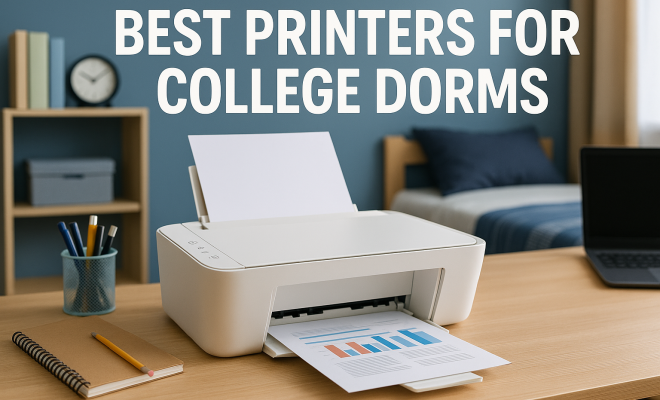
As you gear up for college life, one question that might be weighing on your mind is, what are the best printers for college students? With the right printer, managing assignments and staying organized can become significantly easier, making it an essential tool for any college dorm.
1. Why Every College Student Needs a Printer
In the digital age, it may seem like printing is becoming obsolete, but that couldn’t be further from the truth. Many professors still require hard copies of assignments, and having your own printer saves time and stress associated with finding one in a crowded library or campus printing station. Plus, there’s something about holding a physical paper that can make studying feel more tangible and organized.
Additionally, having a printer at your disposal can help you print out study materials, lecture notes, and even creative projects. It’s also a great way to keep your dorm organized with printed schedules and posters. All in all, a printer can be a game-changer for your academic life.
2. Types of Printers to Consider
When it comes to choosing the best printers for college students, understanding the different types available is crucial. The three main types include inkjet, laser, and all-in-one printers.
- Inkjet Printers: These are ideal for students who require color printing. They excel at printing photos and vibrant documents but often have higher ink costs over time.
- Laser Printers: These are typically faster and more cost-effective for black-and-white printing, making them suitable for students who print primarily text documents.
- All-in-One Printers: These multifunctional devices can print, scan, and copy, providing versatility for various tasks a student might face.
Given your specific needs, each printer type has its advantages and drawbacks. For example, while inkjet printers are great for color, the cost of ink can add up quickly. On the other hand, laser printers are generally better for heavy text printing but may not provide the same quality for photos.
3. Key Features to Look For
When shopping for the best printers for college students, certain features can make a significant difference in functionality and efficiency:
- Print Quality: Look for printers with a high DPI (dots per inch) rating for clear and sharp printouts.
- Connectivity Options: Wireless printing is a must for seamless printing from laptops, tablets, or smartphones.
- Compact Size: Dorm rooms can be small, so a printer that fits neatly on a desk or shelf is essential.
- Cost of Ink: Check the cost and yield of replacement ink or toner cartridges to avoid unexpected expenses.
These features can improve your overall printing experience, allowing you to focus more on your studies rather than troubleshooting printing issues.
4. Top Picks for the Best Printers for College Students
Now that you understand what to look for, here are some top picks for the best printers for college students:
4.1 HP Envy 6055
The HP Envy 6055 is an all-in-one inkjet printer that offers excellent value for money. It’s compact, making it perfect for dorm rooms, and features wireless connectivity for easy printing from any device. The print quality is impressive, especially for photos, and HP’s Instant Ink program can help keep your ink costs manageable.
4.2 Brother HL-L2350DW
If you’re looking for a reliable black-and-white laser printer, the Brother HL-L2350DW is a solid choice. It’s compact and boasts fast printing speeds, making it ideal for busy students. With automatic duplexing, you can save paper and make your printing more efficient. The long-lasting toner cartridges also reduce the need for frequent replacements.
4.3 Canon PIXMA TR8620
The Canon PIXMA TR8620 is another versatile all-in-one printer that can handle all your printing, scanning, and copying needs. It features a 4-color individual ink system that produces vibrant prints, as well as wireless capabilities that allow you to print from virtually anywhere. Its compact design fits nicely in small spaces, and it includes an easy-to-navigate touchscreen interface.
4.4 Epson EcoTank ET-2720
The Epson EcoTank ET-2720 takes a different approach by utilizing refillable ink tanks instead of traditional cartridges. This can lead to significant savings in the long run as the ink bottles yield far more prints than typical cartridges. It’s compact and supports wireless printing, making it ideal for students who want a cost-effective solution for their printing needs.
5. Cost Considerations: Budgeting for Your Printer
Budgeting is crucial for college students, and printers come with various price tags. The initial purchase cost is just one aspect; you also need to factor in the long-term costs of ink or toner. Some printers have lower upfront costs but higher ink costs, while others may have a higher initial price but save you money over time.
For example, while an inkjet printer might cost less initially, the cost of replacement cartridges can add up quickly, especially for students who print frequently. Conversely, a laser printer may have a higher upfront cost but can lead to cost savings if you print mostly text documents. (See: CDC Youth Risk Behavior Survey.) essential skills for students offers useful background here.
Understanding your printing habits can help you make a more informed decision. If you only need to print occasionally and in color, an affordably priced inkjet may suffice. But if you find yourself printing documents daily, investing in a laser printer might be the smarter choice.
6. Maintenance Tips to Extend the Life of Your Printer
Once you’ve chosen the best printer for your needs, it’s essential to maintain it properly to ensure longevity and optimal performance. Here are some maintenance tips:
- Keep it Clean: Regularly clean the exterior and interior of your printer to prevent dust buildup, which can affect performance.
- Use It Regularly: If you allow your printer to sit unused for long periods, the ink can dry out, leading to clogs. Regular printing can help mitigate this issue.
- Update Firmware: Keeping your printer’s firmware updated ensures that it operates with the latest features and bug fixes.
Proper maintenance can help extend your printer’s life and save you from costly repairs down the line.
7. Where to Buy: Finding Good Deals
Knowing where to buy your printer can save you both time and money. Many retailers, both online and brick-and-mortar, offer competitive prices, especially during back-to-school sales. Popular options include:
- Amazon: Known for a wide selection and often competitive pricing, Amazon is a great place to find reviews and deals.
- Best Buy: This electronics retailer frequently has sales and offers knowledgeable staff to help you make a decision.
- Walmart: Walmart often has budget-friendly options, and you can check availability at your local store.
Don’t forget to keep an eye out for student discounts or promotional offers, which can further lower the price of your new printer.
8. Common Printing Scenarios for College Students
Understanding what you’re likely to print during your college years can help you choose the right printer. Here are some common scenarios:
- Essays and Research Papers: These are often lengthy documents that require high-quality text printing. A laser printer shines here, especially for extensive text.
- Presentation Materials: Color printouts of slides and visuals can make your presentations pop. In this case, an inkjet printer can deliver high-quality color prints.
- Study Guides and Notes: Students often print lecture notes or study guides. A printer with duplexing features can help save paper, allowing you to print on both sides.
- Creative Projects: Art students or those in design fields need printers that can handle graphics and intricate designs without sacrificing quality.
By identifying your printing needs, you can select a printer that offers the functionality necessary for your college workload.
9. Best Practices for Printing in College
Once you have your printer, adopting some best practices can help you maximize its potential and minimize waste: This builds on top tablets for school.
- Print Smart: Always review documents before printing to ensure there are no errors and to avoid unnecessary prints.
- Use Preview Mode: Most devices have a preview option that shows how your document will look when printed. Use this to catch mistakes.
- Opt for Black and White: Save color printing for when it’s absolutely necessary. Black-and-white prints are often cheaper and can suffice for many assignments.
By implementing these practices, you can significantly reduce printing costs and environmental impact, while also streamlining your workload.
10. Environmental Impact of Printing
As a college student, you’re likely aware of the importance of sustainability. Unfortunately, printing can have a negative impact on the environment. Here’s how you can minimize your footprint:
- Use Recycled Paper: Opt for recycled paper whenever possible. Many colleges offer recycled options at their print shops.
- Recycling Cartridges: Many printer manufacturers offer programs to recycle old ink and toner cartridges, so look for those options.
- Reduce Print Quantity: Only print what you need. Consider digital note-taking and assignments that can be submitted electronically.
Being mindful of these practices can help you navigate college life while being kind to the planet.
11. Expert Perspectives on Choosing a Printer
To give you more insights, we reached out to some experts in the field of educational technology and printing. Here’s what they recommend:
Dr. Emily Fernandez, Educational Technology Specialist: “Students should prioritize printers that offer flexibility. The ability to scan and copy can be indispensable, especially when sharing notes or group project materials.”
John Davis, Tech Reviewer: “Investing in a printer with a strong warranty and customer support can save students a lot of headaches. College can be stressful, and you don’t want printer issues to add to that.”
12. Frequently Asked Questions (FAQs)
Q: What is the best printer for a tight budget?
A: Look for entry-level inkjet printers. They often provide a good balance of quality and affordability and are perfect if you don’t print frequently.
Q: Are all-in-one printers worth the investment? (See: New York Times article on college printers.)
A: Yes, all-in-one printers can be very advantageous for students as they combine multiple functionalities, saving space and money.
Q: Can I print from my phone or tablet?
A: Most modern printers have wireless capabilities that allow you to print directly from smartphones or tablets via Wi-Fi or Bluetooth.
Q: How can I save on ink costs?
A: Consider printers with high-capacity cartridges or refillable tanks, and sign up for manufacturer programs that offer discounts on ink.
Q: What if I only need to print occasionally? (homework tips for students)
A: If printing is infrequent, a basic inkjet printer should suffice, but keep in mind that ink can dry up if not used regularly.
Q: Is laser printing cheaper than inkjet?
A: Generally, yes. If you print mostly text documents, a laser printer can be more cost-effective in the long run, especially with its lower cost per page.
13. Comparative Analysis of Printer Brands
When considering the best printers for college students, some brands stand out due to their reliability, customer service, and overall performance. Let’s take a closer look at a few popular brands:
13.1 HP Printers
HP is known for producing a wide variety of user-friendly printers that often come with innovative features like wireless printing and mobile printing apps. Their Instant Ink program can be a significant benefit for students who print frequently, as it helps manage ink costs effectively.
13.2 Canon Printers
Canon printers are praised for their photo printing capabilities and vibrant color output, making them an excellent choice for art students and those who need high-quality color prints. Their PIXMA series integrates well with mobile devices, allowing for easy printing from smartphones.
13.3 Brother Printers
Brother is well-regarded for its reliable laser printers, especially for text-heavy documents. Students who primarily print papers, essays, and reports might find Brother’s printers to be efficient and cost-effective, particularly with their long-lasting toner cartridges.
13.4 Epson Printers
Epson’s EcoTank series is notable for its refillable ink tanks, which can lead to substantial ink savings over time. This makes Epson a compelling choice for budget-conscious students who also want to minimize their environmental impact. (See: Harvard University resources for students.)
By comparing these brands, you can make a more informed decision based on your specific printing needs, whether it’s for color quality, cost, or efficiency.
14. Real Student Experiences with Printers
Getting feedback from students who have firsthand experience with printers can provide valuable insights. Here are some testimonials:
Maria, Junior, Art Major: “I love my Canon PIXMA printer! The color quality is amazing for my art prints, and I find it very easy to connect to my phone for quick prints.”
Jake, Senior, Business Major: “I opted for a Brother laser printer because I print a lot of reports. It’s super fast and the toner lasts forever, which is great for my budget!”
Sara, Freshman, Computer Science Major: “I went with the Epson EcoTank. It’s been perfect for me because I print a lot of notes and handouts for study groups, and I don’t worry about running out of ink all the time.”
Hearing real experiences from fellow students can help you gauge which printer might suit your needs best.
15. Future Trends in Printing Technology
The landscape of printing is continually evolving, and there are some exciting trends on the horizon that may impact students in the coming years:
- Wireless and Cloud Printing: As technology advances, more printers will integrate with cloud services, enabling users to print from anywhere without being connected to the same network.
- 3D Printing: While still emerging, 3D printing technology is becoming more accessible and could play a role in design and engineering programs in universities.
- Enhanced Sustainability: Manufacturers are increasingly focusing on creating eco-friendly printers and inks, which could align well with the values of environmentally conscious students.
Staying informed about these trends can help you choose a printer that not only meets your current needs but is also equipped for future advancements in technology.
16. Conclusion: Making the Right Choice
Choosing the best printer for college students comes down to understanding your unique needs, budget, and printing habits. With a plethora of options available, you can find a printer that not only fits your dorm space but also supports your academic journey.
Investing in a quality printer can enhance your productivity, keep you organized, and ultimately ease the stress of college life. Whether you prioritize color prints, speed, or cost, there’s a perfect match out there just waiting for you. So take the plunge, do your research, and choose wisely—your college experience will thank you! See also best laptops for education.
“`
Trending Now
Frequently Asked Questions
What type of printer is best for college students?
The best type of printer for college students depends on their needs. Inkjet printers are ideal for color printing and photos, while laser printers are more cost-effective for black-and-white documents. All-in-one printers offer versatility by combining printing, scanning, and copying functions, making them a great choice for students with various tasks.
Do college students really need a printer?
Yes, college students often need a printer. Many professors require hard copies of assignments, and having a personal printer saves time and reduces stress when accessing campus printing facilities. Additionally, it allows students to print study materials and organize schedules, enhancing their academic experience.
Are inkjet printers worth it for students?
Inkjet printers can be worth it for students who need to print vibrant color documents and photos. However, they often come with higher ink costs over time. If color printing is essential for coursework, an inkjet printer could be a worthwhile investment.
What are the advantages of laser printers for students?
Laser printers are advantageous for students primarily printing text documents, as they are faster and more cost-effective for black-and-white printing. They also have a lower cost per page compared to inkjet printers, making them ideal for those who print frequently.
What should I consider when buying a printer for college?
When buying a printer for college, consider your printing needs (color vs. black-and-white), the volume of printing, space in your dorm, and whether you need additional functions like scanning or copying. It's also important to factor in ongoing costs like ink or toner.
What did we miss? Let us know in the comments and join the conversation.