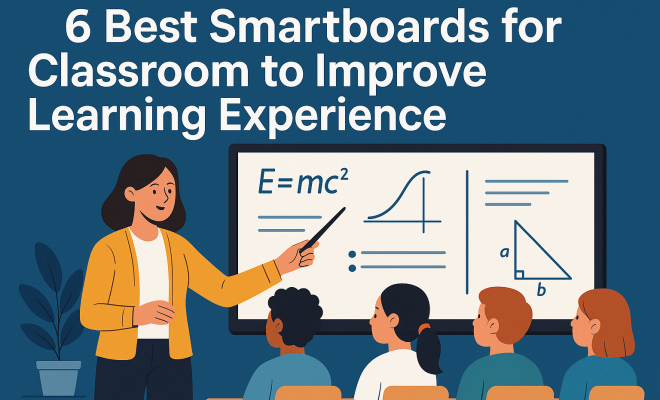
6 Best Smartboards for Classrooms to Boost Learning in 2024
“`html
In the modern educational landscape, traditional teaching methods are increasingly complemented by technology. One significant innovation that has reshaped classrooms is the smartboard. Smartboards for classroom use can enhance interactivity, engagement, and collaboration among students and teachers. In this article, we will explore the six best smartboards that can improve the learning experience, helping educators make informed choices to enhance their teaching strategies.
1. SMART Board 7000 Series: A Comprehensive Interactive Solution
The SMART Board 7000 Series stands out as one of the best smartboards for classroom use due to its advanced features and versatility. It offers a large, high-resolution display that provides clarity and vibrance, making every lesson visually appealing. With multi-touch capabilities, teachers can engage multiple students simultaneously, fostering collaboration and group activities.
One of the standout features of the SMART Board 7000 Series is its seamless integration with popular teaching software and applications. Educators can easily access resources such as SMART Learning Suite, which includes interactive lessons, assessment tools, and content creation capabilities. This makes lesson planning and delivery not only easier but also more effective for different learning styles.
Additionally, the SMART Board 7000 Series includes a built-in browser, which allows educators to access online resources without needing an additional device. This functionality saves time during lessons, enabling educators to quickly pull up relevant information, videos, or articles to enhance discussions. The board’s compatibility with various operating systems increases its versatility in diverse classroom environments. (explore virtual learning tips)
2. Promethean ActivPanel 9: Tailored for Modern Classrooms
The Promethean ActivPanel 9 is another contender among the best smartboards for classroom environments. This interactive display is designed specifically for education, offering a user-friendly interface that even non-tech-savvy teachers can navigate with ease. Its 4K resolution ensures that images and videos come to life, capturing students’ attention.
One of the most impressive aspects of the ActivPanel 9 is its built-in tools that allow for real-time collaboration. Teachers can share files directly to students’ devices and receive instant feedback during lessons. The panel’s ActivInspire software is instrumental in creating engaging lessons that meet diverse educational needs. Its compatibility with various applications also means that teachers can incorporate familiar tools into their lesson plans seamlessly.
Moreover, the ActivPanel 9 has a unique feature called ClassFlow, which enables educators to deliver personalized instruction and track student progress in real-time. This capability is particularly beneficial for formative assessments, as it allows teachers to adjust their teaching strategies based on immediate feedback from their students.
3. BenQ Board: Interactive Touch Display
BenQ has made waves in the educational sector with its range of interactive touch displays. The BenQ Board is particularly notable for its Eye-Care technology, which reduces blue light emission and glare, protecting students’ eyes during long hours of instruction. This feature is especially important in today’s digital learning environment, where screen time is a concern for many parents and educators.
What makes the BenQ Board one of the best smartboards for classroom use is its extensive connectivity options, including wireless sharing, which allows students to present their work from various devices. This promotes an active learning environment where students can participate in discussions and presentations, making learning a collective experience.
The BenQ Board also comes with an intuitive whiteboarding feature that allows teachers to easily create notes and drawings directly on the screen. This can be particularly useful during brainstorming sessions, where educators can capture student ideas in real-time, encouraging participation and collaboration among all learners.
4. Epson BrightLink 695Wi: The Flexible Projector Solution
While traditional smartboards are excellent, the Epson BrightLink 695Wi offers a unique alternative by transforming any flat surface into an interactive whiteboard. This projector allows educators to use existing walls or tables as their canvas, providing flexibility in classroom layout and space utilization. The ability to project interactive lessons onto any surface makes it an adaptable choice for different classroom settings.
Equipped with a range of features such as split-screen capability and annotation tools, the BrightLink encourages dynamic teaching methods. Teachers can display content from multiple sources simultaneously, facilitating discussions and collaboration. It’s particularly useful for classrooms where space is limited or where technology needs to be mobile. (See: U.S. Department of Education.)
Moreover, the BrightLink supports interactive pens that allow students to engage with the content directly. This tactile involvement can significantly boost engagement, making lessons more memorable. Teachers can also record and share lessons, providing students with a valuable resource for review at home. For more on this, see the evolving classroom dynamic.
5. Vibe Interactive Whiteboard: Affordable and Effective
The Vibe Interactive Whiteboard is an excellent choice for schools looking for a budget-friendly yet effective smartboard solution. With a sleek design and intuitive interface, it offers a user-friendly experience for both teachers and students. The Vibe board supports multiple touch points, allowing for collaborative activities where students can gather around and work together.
Additionally, Vibe’s software includes built-in templates and resources that educators can use to create engaging lessons quickly. The board also supports seamless integration with various popular apps, making it an adaptable tool for teaching. Its affordability does not compromise its effectiveness, making it a smart choice for many schools.
Another benefit of the Vibe board is its cloud connectivity, which allows teachers to save their work and access it from any device. This feature is particularly useful for educators who teach multiple classes or wish to share materials with colleagues, promoting a collaborative approach to lesson planning and delivery.
6. ViewSonic ViewBoard: The Interactive Display with Versatile Features
The ViewSonic ViewBoard is designed to enhance classroom interaction and collaboration. This smartboard excels in its ability to integrate with various teaching tools and applications, making it one of the best smartboards for classroom use. With its Android-based operating system, teachers can easily access educational apps, allowing for limitless lesson possibilities.
One standout feature of the ViewBoard is its advanced writing technology, which ensures accurate touch response and a natural writing experience. This allows educators to annotate lessons in real-time and enhances student participation. The board also provides multiple connectivity options, including USB-C and HDMI, accommodating various devices and teaching materials.
Additionally, the ViewBoard offers a unique lesson delivery system that allows for multi-device connectivity, enabling students to connect their laptops, tablets, or smartphones directly to the board. This feature fosters an inclusive environment where every student can contribute, facilitating a richer learning experience.
The Impact of Smartboards on Learning
Smartboards have transformed classrooms into interactive learning environments. Their impact on education extends beyond simple presentations; they enable collaborative learning, creative problem-solving, and adaptive teaching methods. With the integration of visual aids, multimedia resources, and interactivity, students are more engaged in their learning process.
Moreover, smartboards cater to diverse learning styles. Visual learners benefit from graphics and videos, while kinesthetic learners thrive on the hands-on interaction that smartboards provide. This inclusivity not only enriches the learning experience but can also lead to improved academic performance.
Statistics show that classrooms with smartboards report a significant increase in student engagement and participation. According to a report by the International Society for Technology in Education, schools using interactive technology see about a 30% improvement in student interaction during lessons. This shift in engagement often results in higher retention rates and better overall academic performance.
Choosing the Right Smartboard for Your Classroom
When selecting the best smartboards for classroom use, it’s crucial to consider several factors. First, assess your classroom size and the number of students who will be using the board regularly. Larger boards may be necessary for bigger classrooms, while smaller ones can suffice in more intimate settings.
Also, think about the level of interactivity you want to achieve. Some smartboards offer advanced features, such as multi-user capabilities and interactive software, while others focus on simplicity and ease of use. Evaluate your school’s specific needs and budget constraints to determine which board aligns best with your educational goals.
It’s also important to consider the longevity and support services offered by the manufacturer. A smartboard is a significant investment, and choosing one with reliable customer support and software updates can ensure that it remains functional and relevant for years to come. Researching user reviews and testimonials can provide valuable insights into the overall performance and reliability of each smartboard option.
Training and Support for Educators
Implementing smartboards in the classroom successfully goes beyond purchasing the technology; it’s essential to provide adequate training and support for educators. Offering professional development sessions ensures that teachers are comfortable using smartboards effectively and can maximize their potential for enhancing lessons. (See: New York Times Education Section.)
Schools should consider creating a support network where experienced teachers can share tips and strategies for integrating smartboards into their curriculum. Continuous training helps to create a culture of innovation, where educators feel empowered to explore creative teaching methods and engage students meaningfully.
In addition to initial training, ongoing workshops focusing on the latest educational technologies can keep teachers up-to-date. Online forums and resource hubs can also prove invaluable, providing teachers with a platform to collaborate and share innovative lesson plans that incorporate smartboard technology.
Future Trends in Smartboard Technology
As technology continues to advance, smartboards are expected to evolve even further. Future trends may include increased integration with artificial intelligence, allowing for personalized learning experiences tailored to each student’s needs. Additionally, improved collaboration tools may enhance remote learning, making it easier for students to participate in interactive sessions regardless of their physical location.
Moreover, as schools increasingly focus on sustainability, eco-friendly smartboard options may become more prevalent, incorporating energy-efficient technologies and recyclable materials. This aligns with a growing commitment to environmental responsibility in education.
Augmented reality (AR) is another emerging trend that could significantly enhance smartboard functionality. AR applications can provide immersive learning experiences, allowing students to visualize complex concepts in 3D. Imagine a biology class where students can dissect a virtual frog or a history lesson that places them in the midst of ancient civilizations.
FAQ: Common Questions About Smartboards for Classroom Use
What is a smartboard?
A smartboard is an interactive display that combines traditional whiteboard functionality with advanced technology, allowing teachers and students to engage with digital content through touch, stylus, or even gestures. See also challenges of online education.
How do smartboards enhance learning?
Smartboards encourage interactive learning, improve student engagement, and accommodate various learning styles. They allow for real-time collaboration, immediate feedback, and the incorporation of multimedia resources into lessons.
Are smartboards suitable for all grade levels?
Absolutely! Smartboards can be beneficial across all grade levels, from early childhood education to higher education. Their interactive features can be adapted to meet the learning needs of different age groups.
What should I look for when buying a smartboard?
Consider factors such as size, resolution, interactivity features, software compatibility, and the level of support and training provided by the manufacturer. It’s also helpful to assess the specific needs of your classroom and budget.
Are there any downsides to using smartboards?
While smartboards offer many benefits, some challenges may include the initial cost, the need for teacher training, and potential technical issues. However, with proper support and maintenance, these challenges can often be managed effectively.
The Benefits of Smartboards Beyond the Classroom
While smartboards are primarily designed for classroom use, their benefits extend beyond traditional teaching settings. These interactive displays are increasingly being utilized in various educational contexts, including training facilities, libraries, and community centers. For instance, smartboards serve as effective tools in corporate training workshops, where businesses emphasize continual learning and development. Participants can engage with presentations in real-time, share ideas, and collaborate on projects, which can enhance retention and comprehension.
Moreover, smartboards facilitate remote learning and hybrid education models. In a world where distance learning is becoming more commonplace, smartboards can bridge the gap between in-class and online education. With features that enable screen sharing and online collaboration, teachers can effectively engage students who are learning from home. This adaptability not only broadens access to education but also prepares students for a future where digital literacy is essential. (See: ScienceDirect on educational technology.)
Enhancing Parental Involvement Through Smartboard Technology
Smartboards can also play a crucial role in fostering parental involvement in education. Many schools are now using smartboard technology in parent-teacher meetings and open houses. By showcasing interactive lessons and student work on these boards, educators can provide parents with a firsthand look at their children’s learning experiences. This transparency can lead to increased parental support and engagement in their children’s education, which has been shown to positively influence student outcomes.
Additionally, smartboards can facilitate homework help sessions or workshops for parents, where they can learn about the technologies their children are using. By familiarizing parents with digital tools and educational platforms, schools can create a supportive community that encourages student success both at school and at home.
Real-World Examples of Smartboard Implementation
Many schools across the globe have successfully integrated smartboards into their curricula, leading to innovative teaching practices and enriched learning experiences. For example, at the California School for the Deaf, smartboards have transformed instruction by enabling interactive communication strategies tailored for deaf students. Teachers utilize visual aids and sign language to engage learners, making lessons accessible and inclusive.
In a high school in New York, educators have reported a 40% increase in student participation and engagement since implementing smartboards in their classrooms. Teachers in this school leverage the technology to incorporate gamification into lessons, allowing students to compete in educational games projected on the smartboard. This approach has not only made learning more enjoyable but has also fostered a sense of community among students.
Another compelling example comes from a middle school in Texas, where teachers have used smartboards to create a flipped classroom model. Students watch instructional videos at home and then engage in hands-on activities during class time. By using smartboards to facilitate discussions and collaborative projects, teachers have noted a significant improvement in student understanding and application of complex concepts. This builds on animation in modern teaching.
Smartboard Maintenance and Best Practices
To maximize the lifespan and effectiveness of smartboards in the classroom, regular maintenance is essential. Schools should establish a routine for cleaning and calibrating the smartboards to ensure optimal performance. Dust and residues from markers can accumulate on the screen, affecting visibility and touch responsiveness. Regularly cleaning the surface with appropriate materials can prevent potential damage and keep the board functioning smoothly.
Additionally, teachers should be trained on best practices for using smartboards effectively. This includes understanding the software, utilizing interactive features efficiently, and integrating multimedia content seamlessly into lessons. Encouraging teachers to share their own tips and strategies with one another can lead to a more collaborative and innovative teaching environment.
Creating a tech support system within the school can also provide teachers with immediate assistance when issues arise. Having a dedicated IT staff or tech-savvy teacher available to address concerns can minimize disruptions during lessons and enhance the overall smartboard experience.
Conclusion: Enhancing the Learning Experience with Smartboards
Smartboards have undoubtedly transformed the educational landscape, offering numerous benefits that enhance the learning experience. By facilitating collaboration, interactivity, and adaptability, these tools empower educators to deliver engaging lessons that cater to diverse learning styles. As more schools recognize the value of smartboards, the future of classroom learning looks brighter than ever.
“`
Trending Now
Frequently Asked Questions
What are the benefits of using smartboards in the classroom?
Smartboards enhance interactivity, engagement, and collaboration among students and teachers. They facilitate multi-touch capabilities, allowing for group activities and interactive lessons that cater to various learning styles, ultimately improving the overall learning experience.
Which smartboard is best for classroom use?
The SMART Board 7000 Series is highly recommended due to its advanced features, large high-resolution display, multi-touch capabilities, and seamless integration with popular teaching software, making it an excellent choice for educators.
How do smartboards improve student engagement?
Smartboards improve student engagement by enabling interactive lessons that involve multiple students simultaneously. Their visually appealing displays and access to online resources help create dynamic learning environments that capture students' attention.
Can smartboards be used for different teaching styles?
Yes, smartboards are versatile tools that support various teaching styles. Their interactive features and compatibility with different software allow educators to tailor lessons to meet the diverse needs of their students, enhancing learning outcomes.
What features should I look for in a classroom smartboard?
When choosing a classroom smartboard, consider features such as multi-touch capabilities, high-resolution displays, integration with educational software, built-in browsers for online access, and compatibility with various operating systems to ensure versatility and effectiveness.
Agree or disagree? Drop a comment and tell us what you think.