Best Tablet Keyboards for Note-Taking
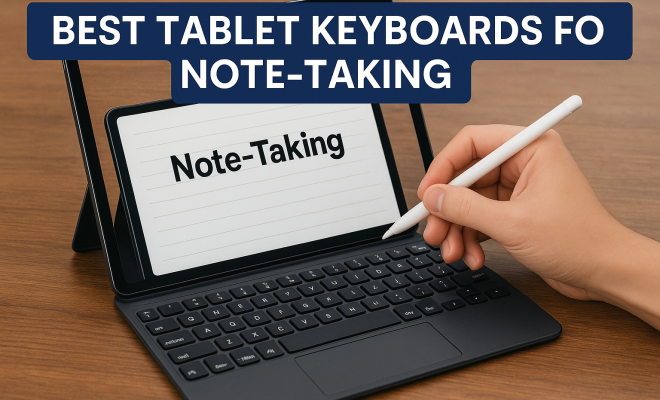
“`html
As the demand for versatile, portable computing increases, many students and professionals are turning to tablets for their note-taking needs. Coupled with an effective keyboard, these devices can transform from simple touchscreens to powerful productivity tools. In this article, we’ll explore the best tablet keyboards for note taking, equipped with features that enhance writing speed, comfort, and overall experience.
1. Apple Magic Keyboard (iPad Pro): The Premium Choice
The Apple Magic Keyboard is an ideal companion for the iPad Pro, offering a seamless integration that many users appreciate. Its sleek design and floating cantilever mechanism allow for adjustable viewing angles, making it comfortable for long note-taking sessions. The keyboard features scissor-switch keys that provide a satisfying tactile response, essential for fast typing.
Additionally, the built-in trackpad enhances functionality, allowing users to navigate through documents and applications effortlessly. With a battery life that lasts for weeks, the Magic Keyboard is perfect for students who attend classes all day or professionals on the go. The combination of style, usability, and durability makes it a standout choice in the best tablet keyboards for note taking.
2. Logitech K380 Multi-Device Bluetooth Keyboard: Versatility at Its Best
The Logitech K380 is an affordable yet highly functional option for tablet users. Its compact and lightweight design makes it easy to carry around, while its ability to pair with up to three devices simultaneously is a major plus. You can switch between your tablet, phone, and even a laptop without missing a beat.
The keys are well-spaced and comfortable to type on, which reduces fatigue during extended use. Plus, the battery can last up to two years, making it a low-maintenance choice. If you’re looking for flexibility in your note-taking setup, the Logitech K380 deserves a place in your list of the best tablet keyboards for note taking.
3. Microsoft Surface Keyboard: Perfectly Compatible
Designed specifically for Surface devices, the Microsoft Surface Keyboard offers a premium typing experience. The key travel is just right, allowing for quick and accurate typing, which is essential for taking notes during lectures or meetings. Its wireless design means you won’t have to deal with cords, and the Bluetooth connectivity is reliable.
Moreover, the Surface Keyboard’s battery life can last several months on a single charge. Its elegant design matches well with the Surface tablet aesthetics, making it both functional and visually appealing. For Surface tablet users, this keyboard is undoubtedly among the best tablet keyboards for note taking.
4. Brydge 12.9 Pro Keyboard: Laptop-Style Experience
The Brydge 12.9 Pro Keyboard transforms your iPad Pro into a laptop-like device. It features a hinge design that allows for multiple viewing angles and a full-sized keyboard that resembles traditional laptops, making it perfect for users who prefer a physical keyboard’s feel. The backlit keys enhance usability in low-light environments, such as classrooms or libraries.
Battery life is impressive, lasting up to a month on a single charge, which means you can rely on it for extended periods without needing to recharge. If you’re taking extensive notes or writing reports, the Brydge offers a comfortable and efficient typing experience, securing its spot among the best tablet keyboards for note taking. (See: best keyboards for tablets.)
5. Logitech Slim Folio Pro: All-in-One Protection and Functionality
The Logitech Slim Folio Pro is a comprehensive solution for iPad users, combining a protective case with a keyboard. This keyboard case not only shields your tablet from bumps and drops but also provides a great typing experience with its well-spaced keys and responsive feedback. It has an impressive battery life, lasting up to four months on a single charge.
What sets this keyboard apart is its dedicated row of iOS shortcut keys, enabling quick access to features like brightness, volume control, and app switching, making your note-taking process smoother. If you’re looking for a durable keyboard that also acts as a case, the Slim Folio Pro is one of the best tablet keyboards for note taking on the market.
6. Samsung Galaxy Tab S7 Keyboard Cover: Tailored for Samsung Users
For users of the Samsung Galaxy Tab S7, the Keyboard Cover offers a seamless typing solution. Its design is sleek and lightweight, adding minimal bulk to the tablet while providing a responsive keyboard experience. The keys are well-sized and spaced, allowing for comfortable typing.
One of the standout features is the ability to adjust the angle of your tablet for easier viewing while typing. The battery is powered by the device itself, negating the need for charging the keyboard separately. This convenience makes it an essential accessory for Samsung Galaxy Tab S7 users who are serious about their note-taking. It’s certainly one of the best tablet keyboards for note taking available.
7. iClever BK03 Bluetooth Keyboard: Compact and Travel-Friendly
The iClever BK03 is a foldable Bluetooth keyboard that is perfect for those who need portability without compromising on typing experience. Its slim design allows it to fit easily into any bag, and when unfolded, it provides a full-size keyboard feel. This is particularly beneficial for taking notes in various settings, from coffee shops to classrooms.
It features a built-in rechargeable battery that can last up to 90 hours of active use, making it ideal for long study sessions away from power sources. The keyboard is also compatible with multiple operating systems, providing versatility for users with different devices. For on-the-go note-takers, the iClever BK03 is a strong contender among the best tablet keyboards for note taking. For more on this, see student note taking tips.
8. ZAGG Pro Keys Wireless Keyboard: Dual Functionality
The ZAGG Pro Keys Wireless Keyboard is a versatile option that works seamlessly with various tablet models, including iPads and Android devices. Its detachable design allows you to use the keyboard separately from the case, which is ideal if you prefer a lightweight setup without added bulk.
Equipped with backlit keys and a built-in kickstand, this keyboard enhances your note-taking experience in various lighting conditions. The battery life is commendable, providing up to a month of usage on a full charge. With its flexible design and functionality, the ZAGG Pro Keys stands out among the best tablet keyboards for note taking.
9. Arteck HB030B Universal Keyboard: Affordable and Practical
If you’re looking for a budget-friendly option, the Arteck HB030B Universal Keyboard is worth considering. This keyboard offers solid performance at an accessible price, making it perfect for students or anyone who wants to enhance their note-taking without breaking the bank. (See: Harvard University resources.)
The Arteck HB030B is compact, lightweight, and features a backlit design, which is great for use in various lighting conditions. It operates on Bluetooth, making it easy to pair with any tablet or smartphone. Despite its affordability, it doesn’t skimp on performance, ensuring you can take notes efficiently. For budget-conscious users, the Arteck HB030B is an excellent addition to the list of best tablet keyboards for note taking.
Why Use a Tablet Keyboard for Note Taking?
Using a tablet keyboard can significantly enhance your note-taking experience. The tactile feedback from physical keys often allows for faster typing speeds compared to touchscreen keyboards, which can be cumbersome for extended periods. This is particularly important during lectures or meetings where the ability to keep up with spoken information is essential.
Moreover, a keyboard can help reduce strain on your hands and wrists, especially if you spend long hours typing. Ergonomically designed keyboards often feature comfortable key travel and spacing, which can make the typing experience more enjoyable. In contrast, typing directly on a screen can lead to frustration and increased errors, particularly for those who are accustomed to typing on a traditional keyboard.
Key Features to Look For
When searching for the best tablet keyboards for note taking, consider the following features:
- Battery Life: Long battery life means you won’t have to worry about running out of power during important sessions. Look for keyboards that can last for weeks or even months on a single charge.
- Compatibility: Ensure that the keyboard is compatible with your tablet model and operating system. Some keyboards are designed specifically for certain devices, while others offer universal compatibility.
- Portability: If you’re often on the go, a lightweight and compact keyboard is crucial. Foldable or detachable designs may be more convenient for travel.
- Typing Experience: Consider key travel, spacing, and whether the keys are backlit. A comfortable typing experience can enhance your productivity and reduce fatigue.
- Durability: If you plan to use your keyboard frequently, look for durable materials that can withstand daily use.
Comparing Popular Tablet Keyboards
It can be challenging to choose the right keyboard when there are so many options available. Here’s a quick comparison of some of the features of the keyboards we’ve discussed: popular note taking apps offers useful background here.
| Keyboard | Battery Life | Weight | Compatibility | Price Range |
|---|---|---|---|---|
| Apple Magic Keyboard | Up to 4 weeks | 0.95 lbs | iPad Pro | $$$ |
| Logitech K380 | Up to 2 years | 0.55 lbs | Multiple devices | $$ |
| Microsoft Surface Keyboard | Several months | 1.4 lbs | Surface devices | $$$ |
| Brydge 12.9 Pro | Up to 1 month | 1.5 lbs | iPad Pro | $$$ |
| Logitech Slim Folio Pro | Up to 4 months | 1.3 lbs | iPad | $$$ |
| Samsung Galaxy Tab S7 Keyboard Cover | Powered by tablet | 1.0 lbs | Galaxy Tab S7 | $$$ |
| iClever BK03 | Up to 90 hours | 0.58 lbs | Multiple devices | $ |
| ZAGG Pro Keys | Up to 1 month | 1.1 lbs | Multiple devices | $$$ |
| Arteck HB030B | Up to 6 months | 0.67 lbs | Multiple devices | $ |
FAQs About Tablet Keyboards for Note Taking
1. Can I use any keyboard with my tablet?
Most tablets support Bluetooth keyboards, but it’s essential to check compatibility. Some keyboards are designed specifically for certain tablet brands or models, while others can work across multiple devices.
2. Are tablet keyboards worth the investment?
If you frequently take notes, the investment in a keyboard can improve your productivity and comfort. A physical keyboard often allows for faster and more accurate typing than touchscreen options.
3. How do I choose the right size keyboard?
Consider how portable you need your keyboard to be. If you travel often, a compact or foldable design might be more suitable. For at-home use, a full-sized keyboard could offer better typing comfort. (See: tablet computing research.)
4. Do tablet keyboards come with a warranty?
Most reputable brands offer warranties on their products, which can range from a year to several years, depending on the manufacturer. Always check the warranty details before purchasing.
5. Can I use a keyboard while the tablet is in a case?
Many keyboard cases are designed to fit seamlessly with the tablet, allowing you to type without removing the device. However, ensure that the case doesn’t hinder the keyboard’s functionality or your comfort while typing.
How Tablet Keyboards Enhance Productivity
When it comes to productivity, the right tablet keyboard can be a game-changer. A physical keyboard not only speeds up typing but also helps maintain focus. Here are some ways tablet keyboards boost productivity:
- Increased Typing Speed: Many users find they can type significantly faster on a physical keyboard than on a touchscreen. This speed can be crucial during lectures or meetings where every word counts.
- Reduced Distractions: Using a keyboard can minimize distractions that come with touchscreens, such as accidental taps or swipes. This allows you to concentrate on the task at hand rather than managing your device.
- Better Ergonomics: A physical keyboard can be positioned at a comfortable height, reducing strain on your wrists and neck. This is particularly important for long writing sessions, making it easier to maintain good posture.
- Multiple Functionality: Many tablet keyboards come with additional features like shortcut keys and built-in touchpads, enhancing their usability. These features can streamline your workflow, allowing for quicker access to frequently used functions.
Tablet Keyboards vs. Traditional Laptops
There’s often a debate about whether to use a tablet with a keyboard or stick with a traditional laptop for note-taking and productivity tasks. Here are some considerations to help you weigh your options:
- Portability: Tablets with keyboards are generally lighter and more compact than laptops, making them easier to carry around, especially for students who are always on the move.
- Batteries: Tablets often have longer battery life compared to laptops, and many keyboard options for tablets are designed to be energy-efficient, enabling extended use without recharging.
- Touchscreen Capability: Tablets offer the added benefit of touchscreen functionality, which can be useful for tasks like drawing or annotating documents directly onscreen, a feature traditional laptops don’t provide.
- Operating Systems: Laptops typically offer full operating systems like Windows or macOS, allowing for more extensive applications. Tablets, while improving, may have limitations in software availability.
Latest Trends in Tablet Keyboards
The market for tablet keyboards is constantly evolving, with new innovations aimed at enhancing user experience. Here are some trends shaping the future of tablet keyboards:
- Customizable Keyboards: Some manufacturers are exploring customizable keyboards where users can change key layouts or backlighting colors to suit their preferences. This personalization allows for a unique typing experience.
- Integration with AI: With advancements in AI, future keyboards may include features like predictive text and auto-correction that adapt to users’ typing styles, making note-taking faster and more accurate.
- Enhanced Connectivity: Newer keyboards are focusing on connectivity options, with capabilities like NFC and improved Bluetooth technology for quicker pairing and less latency during typing.
- Sustainable Materials: As environmental consciousness grows, manufacturers are exploring sustainable materials for keyboard construction, appealing to eco-friendly consumers.
In the end, selecting the right keyboard for your tablet can significantly enhance your note-taking efficiency and comfort. Each of these options brings something unique to the table, catering to different needs and preferences. Whether you’re a student, a professional, or just someone who takes a lot of notes, investing in a quality keyboard can transform your tablet into a powerful tool that makes your note-taking experience more productive and enjoyable.
“`
Trending Now
Frequently Asked Questions
What are the best tablet keyboards for note-taking?
Some of the best tablet keyboards for note-taking include the Apple Magic Keyboard for iPad Pro, which offers premium features like a built-in trackpad and adjustable viewing angles, and the Logitech K380 Multi-Device Bluetooth Keyboard, known for its versatility and long battery life.
Why do I need a keyboard for my tablet?
A keyboard enhances the note-taking experience on a tablet by providing a tactile typing surface, improving typing speed and comfort, and transforming the tablet into a more productive tool for students and professionals.
Is the Apple Magic Keyboard worth it?
Yes, the Apple Magic Keyboard is considered worth the investment for iPad Pro users due to its seamless integration, premium design, adjustable angles, and excellent battery life, making it a top choice for long note-taking sessions.
Can I use a Bluetooth keyboard with my tablet?
Absolutely! Many tablets support Bluetooth keyboards, allowing you to pair devices like the Logitech K380, which can connect to multiple devices simultaneously, making it a flexible option for note-taking across different platforms.
How long do tablet keyboard batteries last?
Battery life varies by model; for instance, the Logitech K380 can last up to two years on a single set of batteries, while the Apple Magic Keyboard offers weeks of use on a single charge, making both options low-maintenance.
Agree or disagree? Drop a comment and tell us what you think.