Android 17: Essential New Parental Controls for Parents
“`html
As summer break approaches, many parents are grappling with a familiar concern: how to manage their children’s screen time. With smartphones becoming central to kids’ daily routines, ensuring their safe usage has never been more critical. Thankfully, Google has rolled out a significant update that empowers parents with enhanced parental controls Android features across all devices running Android 17. This move marks a pivotal moment for Android users and opens the door to a more secure digital environment for children.
The Evolution of Parental Controls on Android
Until recently, advanced parental controls were primarily available on Google’s Pixel phones. Launched in late 2025, these features were a welcome addition for parents who sought tools to manage their children’s device usage. However, with the latest announcement, Google has made these controls accessible across all Android devices, signaling a broader commitment to child safety in a digital age.
What’s driving this change? As kids spend more time online, the importance of monitoring their activity has surged. With devices being a common source of entertainment and education, parents are feeling the pressure to ensure their children engage with technology responsibly. This update comes at a crucial time as summer vacations prompt longer screen time, making the new features even more relevant.
What’s Included in the New Parental Controls?
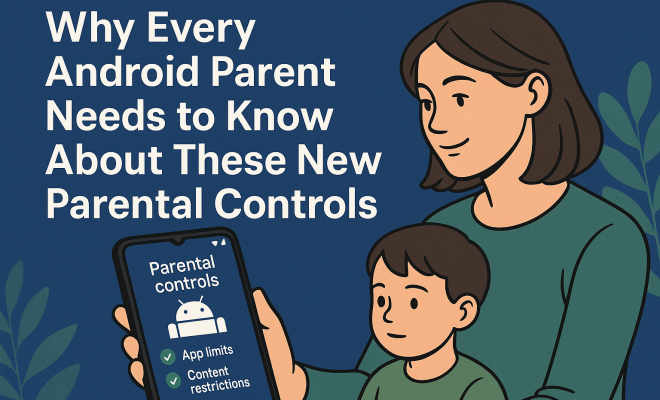
Google’s new parental controls feature allows parents to implement various restrictions and protections on their children’s devices. Here’s a closer look at the standout functionalities:
- Screen Time Limits: Parents can set daily screen time limits, helping to foster healthier digital habits.
- Nighttime Downtime: This feature enables parents to establish a set period during which the device cannot be used, encouraging kids to disconnect and rest.
- App Filtering: With the ability to filter Google Play downloads, parents can ensure that only age-appropriate content is accessible.
- App Blocking: Parents can block specific apps that they deem inappropriate or distracting.
- Security PIN: To implement changes, a security PIN is required, ensuring that only parents can modify the settings.
These features create a robust framework for parents wanting to engage in their children’s online activities. But how can you effectively use these tools to create a balanced approach to screen time?
Setting Up Parental Controls on Android
Getting started with the new parental controls Android is straightforward. Here’s a step-by-step guide:
- Open the Settings app on your Android device.
- Scroll down and select Digital Wellbeing & Parental Controls.
- Tap on Parental Controls.
- Follow the prompts to set your desired restrictions and controls.
- Create a secure PIN that only you will know.
Once set up, you can easily monitor and adjust the settings based on your child’s needs. It’s important to communicate openly with your kids about why these controls are in place, fostering understanding and cooperation.
The Impact of Screen Time on Children
Recent studies have underscored the impact of excessive screen time on children’s health and well-being. Issues like anxiety, depression, and sleep disturbances have been linked to too much time spent on devices. A study published in Pediatrics highlighted that children who spend more than two hours a day on screens are at greater risk for these issues.
In light of these findings, the need for effective parental controls Android is more pressing than ever. By setting screen time limits and establishing downtime periods, parents can help mitigate these risks and promote healthier habits. Finding the right balance allows children to enjoy the benefits of technology while avoiding its pitfalls.
Creating a Screen Time Plan
With the tools now available, creating a comprehensive screen time plan for your family is possible. Here’s how to structure it: (See: CDC parenting resources.)
- Assess Usage: Start by assessing how much time your children currently spend on their devices and what activities they prioritize.
- Set Limits: Based on your assessment, determine reasonable daily limits for recreational screen time.
- Incorporate Educational Content: Encourage the use of educational apps and resources that contribute positively to their learning.
- Schedule Downtime: Establish a routine that includes designated screen-free time, especially during meals and before bedtime.
- Encourage Alternatives: Foster a variety of outdoor and creative activities that can serve as alternatives to screen time.
This structured approach not only helps manage screen time but also encourages a balanced lifestyle that values physical activity and interpersonal connections.
Encouraging Open Dialogue About Technology
As you implement these parental controls Android, fostering an open dialogue with your children about technology is crucial. Discuss the reasons behind the controls and involve them in decision-making. This empowers them to understand the importance of responsible device use.
Ask your children about their favorite apps, games, and online activities. This can lead to discussions about what content is appropriate and why some apps may pose risks. Encouraging them to share their online experiences can also help you better understand their digital world and challenges.
Staying Updated: The Importance of Regular Reviews
As children grow, their needs and capabilities change. Therefore, it’s vital to review and adjust your parental controls Android settings regularly. Consider having monthly check-ins where you evaluate how well the controls are working and if any adjustments are necessary.
This practice not only keeps the controls relevant but also demonstrates to your children that technology use is an evolving discussion. It emphasizes that as they mature, so does your trust in their ability to manage their screen time responsibly.
Incorporating Technology Into Parenting Strategies
Using technology effectively as a parenting strategy can help in creating a healthy digital environment. With tools like the new parental controls, parents can feel more empowered to guide their children’s tech usage.
Alongside monitoring tools, integrating tech-free family time can enhance your relationship with your children. Activities such as game nights, outdoor activities, or cooking together can create lasting memories and strengthen family bonds.
The Future of Parental Controls on Android
As technology continues to advance, it’s safe to say that parental controls will also evolve. Google’s recent update is just one indicator of a growing awareness around child safety in the digital landscape. Expect to see more features that enhance the ability for parents to manage their children’s device usage effectively.
These developments will likely include AI-driven insights that provide parents with data on their children’s online habits and trends. As these technologies emerge, they will further aid in creating safer online experiences for kids.
Expert Perspectives on Parental Controls
Experts in child psychology and digital literacy have weighed in on the significance of implementing parental controls. Dr. Sarah Hargrove, a child psychologist, emphasizes that “while technology can be a tremendous educational tool, it also poses risks. Parents must take an active role in guiding their children’s usage and ensuring they are engaging with content that is appropriate for their age.”
In her research, Dr. Hargrove discovered that children who have their screen time monitored tend to have better academic performance, as they are more likely to engage in educational activities rather than just entertainment. This reaffirms the importance of parental controls in not just protecting children, but also promoting their growth and development. (See: New York Times on screen time.)
Statistics on Screen Time and Child Development
To truly grasp the impact of screen time on child development, consider these statistics:
- According to the American Academy of Pediatrics, children aged 2 to 5 should have no more than one hour of high-quality screen time each day.
- A study by Common Sense Media revealed that teenagers spend an average of 7 hours and 22 minutes on screens each day, not including time spent on school-related activities.
- Research indicates that children who spend excessive time on screens are more likely to experience sleep problems, with up to 60% of children reporting issues falling asleep due to device usage before bed.
- A survey from the Pew Research Center found that 54% of parents feel overwhelmed by the challenges of raising kids in the digital age and express a desire for more robust parental control options.
These statistics highlight the urgent need for effective parental controls and underscore the responsibility parents have in establishing healthy digital boundaries.
Comparisons Between Android and Other Platforms
When considering parental controls, it’s useful to compare Android’s offerings with those of other platforms. For instance, Apple’s iOS has long been known for its robust parental controls, including features like Screen Time, which allows parents to monitor and restrict their child’s app usage and downtime. However, Android’s recent updates have closed the gap in functionality.
For example, while both platforms allow you to set screen time limits, Android’s integration with Google Family Link offers additional features like real-time location tracking and app activity monitoring, providing parents with a more comprehensive oversight of their child’s device usage.
Windows and gaming consoles like Xbox also have parental control functionalities, allowing parents to manage screen time and content access. However, the ease of use and accessibility of Android’s parental controls on a mobile platform often gives it the edge, as smartphones are a primary device for many children.
FAQs About Parental Controls on Android
What are the benefits of using parental controls on Android?
Parental controls can help you manage your child’s screen time, block inappropriate content, and teach responsible usage of technology. They promote healthier digital habits and can reduce exposure to online risks.
Are parental controls easy to set up on Android?
Yes! Setting up parental controls on Android is a straightforward process and can be done through the Settings app. Google provides step-by-step guidance to help you set it up according to your family’s needs.
Can I customize the parental controls for different children?
Absolutely! Android allows you to customize settings for individual accounts, which is great if you have children of different ages. You can set unique restrictions based on their specific needs and maturity levels.
What if my child tries to bypass the parental controls?
It’s essential to have open conversations with your children about the purpose of parental controls. If they attempt to bypass them, use it as a teaching moment to understand their concerns and reinforce the importance of healthy device usage. (See: WHO fact sheet on digital media.)
Will my child still be able to use educational apps?
Yes, parental controls allow you to filter apps, so you can ensure that educational apps remain accessible while blocking distracting or inappropriate content.
Creating a Balanced Digital Environment
Establishing a balanced digital environment is pivotal not just for maintaining healthy screen time, but also for fostering a positive relationship between children and technology. Consider these strategies:
- Lead by Example: Children often mirror adult behavior. If parents model healthy screen usage, children are more likely to follow suit.
- Discuss Content: When your child engages with media, discuss what they’re watching or playing. This not only deepens understanding but also encourages critical thinking about the content.
- Set up Family Accounts: For games or apps that allow it, set up family accounts so that you can oversee and participate in your child’s digital activities.
- Utilize Content Ratings: Learn about content ratings and use them to guide your choices in games, apps, and movies. This can serve as a good starting point for discussions on appropriateness.
This holistic approach helps ensure that children not only use technology acceptably but also appreciate it as a tool for learning and creativity.
Identifying Safe Online Spaces
With the internet being a vast territory, understanding which digital spaces are safe for children is crucial. Here’s how to help them navigate safely:
- Choose Kid-Friendly Platforms: Encourage the use of platforms designed specifically for children, such as kid-friendly YouTube channels or educational websites that incorporate safety measures.
- Review Privacy Settings: Teach your child about privacy settings on social media and other online spaces. Ensure that their profiles are set to private and that they understand what information is safe to share.
- Monitor Online Games: Many online games have chat features that can expose children to risks. Familiarize yourself with these features and how to restrict them if necessary.
- Establish Trust: Make sure your child feels comfortable coming to you with any online experiences that make them uncomfortable. Establishing trust is essential for open communication.
The Role of Schools in Screen Time Education
Schools are becoming increasingly aware of the impact of screen time on children. Many educational institutions are now incorporating lessons about digital literacy into their curricula. Here’s how schools are contributing:
- Digital Literacy Programs: Schools are implementing programs to teach students about responsible internet use, including how to identify credible information and the importance of privacy.
- Partnerships with Parents: Many schools are working with parents to create comprehensive strategies for managing screen time at home, offering resources and workshops that address digital safety.
- Encouraging Mindful Usage: Educators are stressing the importance of being mindful of screen time, promoting activities that balance technology use with physical activity and face-to-face interactions.
Final Thoughts
As we navigate the complexities of parenting in the digital age, tools like the new parental controls Android are essential in helping parents protect their children. With the ability to limit screen time, block inappropriate apps, and establish downtime, parents can take proactive steps to ensure their children have a balanced relationship with technology.
In the end, the goal isn’t to eliminate screen time entirely but to cultivate a healthy approach to its use. By leveraging these new tools, parents can foster environments where children can thrive—both online and offline. So as summer break approaches, take the time to explore these controls, and give your family the digital safety net it deserves.
“`
Trending Now
Frequently Asked Questions
What are the new parental controls on Android?
The new parental controls on Android include features like screen time limits, nighttime downtime, and app filtering. These tools empower parents to manage their children's device usage more effectively, ensuring responsible engagement with technology.
How can I set screen time limits on Android?
To set screen time limits on Android, parents can access the parental controls feature in the settings. From there, they can define daily usage limits for their children's devices, promoting healthier digital habits.
What is nighttime downtime in Android parental controls?
Nighttime downtime is a feature that allows parents to establish a specific period during which their child's device cannot be used. This encourages kids to disconnect and get adequate rest during the night.
Are the new parental controls available on all Android devices?
Yes, the latest parental controls rolled out by Google are now available across all devices running Android 17, making these important safety features accessible to a wider range of users.
Why are parental controls important for children?
Parental controls are essential for children as they help monitor and manage online activity, ensuring safe and responsible usage of technology. With increased screen time, these tools support healthier digital habits and protect children from inappropriate content.
Have you experienced this yourself? We’d love to hear your story in the comments.