The Edvocate

Top Menu

Main Menu

  • Start Here
    • Our Brands
    • Governance
      • Lynch Education Consulting, LLC.
      • Dr. Lynch’s Personal Website
      • Careers
    • Write For Us
    • Books
    • The Tech Edvocate Product Guide
    • Contact Us
    • The Edvocate Podcast
    • Edupedia
    • Pedagogue
    • Terms and Conditions
    • Privacy Policy
  • PreK-12
    • Assessment
    • Assistive Technology
    • Best PreK-12 Schools in America
    • Child Development
    • Classroom Management
    • Early Childhood
    • EdTech & Innovation
    • Education Leadership
    • Equity
    • First Year Teachers
    • Gifted and Talented Education
    • Special Education
    • Parental Involvement
    • Policy & Reform
    • Teachers
  • Higher Ed
    • Best Colleges and Universities
    • Best College and University Programs
    • HBCU’s
    • Diversity
    • Higher Education EdTech
    • Higher Education
    • International Education
  • Advertise
  • The Tech Edvocate Awards
    • The Awards Process
    • Finalists and Winners of The 2026 Tech Edvocate Awards
    • Finalists and Winners of The 2025 Tech Edvocate Awards
    • Finalists and Winners of The 2024 Tech Edvocate Awards
    • Finalists and Winners of The 2023 Tech Edvocate Awards
    • Finalists and Winners of The 2021 Tech Edvocate Awards
    • Finalists and Winners of The 2022 Tech Edvocate Awards
    • Finalists and Winners of The 2020 Tech Edvocate Awards
    • Finalists and Winners of The 2019 Tech Edvocate Awards
    • Finalists and Winners of The 2018 Tech Edvocate Awards
    • Finalists and Winners of The 2017 Tech Edvocate Awards
    • Award Seals
  • Apps
    • GPA Calculator for College
    • GPA Calculator for High School
    • Cumulative GPA Calculator
    • Grade Calculator
    • Weighted Grade Calculator
    • Final Grade Calculator
  • The Tech Edvocate
  • Post a Job
  • AI Powered Personal Tutor

logo

The Edvocate

  • Start Here
    • Our Brands
    • Governance
      • Lynch Education Consulting, LLC.
      • Dr. Lynch’s Personal Website
        • My Speaking Page
      • Careers
    • Write For Us
    • Books
    • The Tech Edvocate Product Guide
    • Contact Us
    • The Edvocate Podcast
    • Edupedia
    • Pedagogue
    • Terms and Conditions
    • Privacy Policy
  • PreK-12
    • Assessment
    • Assistive Technology
    • Best PreK-12 Schools in America
    • Child Development
    • Classroom Management
    • Early Childhood
    • EdTech & Innovation
    • Education Leadership
    • Equity
    • First Year Teachers
    • Gifted and Talented Education
    • Special Education
    • Parental Involvement
    • Policy & Reform
    • Teachers
  • Higher Ed
    • Best Colleges and Universities
    • Best College and University Programs
    • HBCU’s
    • Diversity
    • Higher Education EdTech
    • Higher Education
    • International Education
  • Advertise
  • The Tech Edvocate Awards
    • The Awards Process
    • Finalists and Winners of The 2026 Tech Edvocate Awards
    • Finalists and Winners of The 2025 Tech Edvocate Awards
    • Finalists and Winners of The 2024 Tech Edvocate Awards
    • Finalists and Winners of The 2023 Tech Edvocate Awards
    • Finalists and Winners of The 2021 Tech Edvocate Awards
    • Finalists and Winners of The 2022 Tech Edvocate Awards
    • Finalists and Winners of The 2020 Tech Edvocate Awards
    • Finalists and Winners of The 2019 Tech Edvocate Awards
    • Finalists and Winners of The 2018 Tech Edvocate Awards
    • Finalists and Winners of The 2017 Tech Edvocate Awards
    • Award Seals
  • Apps
    • GPA Calculator for College
    • GPA Calculator for High School
    • Cumulative GPA Calculator
    • Grade Calculator
    • Weighted Grade Calculator
    • Final Grade Calculator
  • The Tech Edvocate
  • Post a Job
  • AI Powered Personal Tutor
  • 8 Disturbing Ways Student AI Use Could Be Harming Kids’ Minds

  • The AI Revolution on Campus: Your Urgent Blueprint for University Success

  • 900 Jobs at Risk: The Kent School District Levy’s Urgent Deadline

  • The Unseen Force Behind Affordable AI MBAs: You Won’t Believe the Price Tag!

  • Win Everything You Need to Start a Classroom Garden

  • 7 Astonishing MBA Market Trends 2026: What You Need to Know Now

  • Stunning: Dartmouth Provost’s AI Scandal Exposes Higher Ed’s Reckoning

  • Why Robin’s AI Could Completely Transform Your Telehealth Experience

  • Urgent: Are Your High-End Diapers Causing Burn-Like Injuries?

  • Staggering: 100+ Jobs and Programs Axed in University Budget Cuts — What Went Wrong?

Uncategorized
Home›Uncategorized›21+ Chromebook Keyboard Hacks for Remote Learning Success

21+ Chromebook Keyboard Hacks for Remote Learning Success

By Matthew Lynch
January 2, 2025
0
Spread the love

As remote learning becomes more prevalent, Chromebooks have become an essential tool for both students and teachers. To maximize productivity and efficiency, it’s important to learn some handy keyboard hacks that can make your remote learning experience smoother. Here are 21+ Chromebook keyboard hacks that will benefit both remote learners and their teachers:

1. Switch Between Open Apps: Pressing Alt + Tab allows you to quickly switch between open applications, making it easier to navigate between different tasks.

2. Take a Screenshot: Pressing Ctrl + Show Windows (or Ctrl + F5) captures a screenshot of your entire screen, while Ctrl + Shift + Show Windows (or Ctrl + Shift + F5) captures a partial screenshot.

3. Zoom In and Out: To zoom in, press Ctrl and the plus (+) key. To zoom out, press Ctrl and the minus (-) key. Pressing Ctrl + 0 will reset the zoom level.

4. Open Task Manager: Press Shift + Esc to open the Task Manager, which allows you to see what processes are running and how much system resources they are using.

5. Lock Your Chromebook: Pressing Ctrl + Shift + L locks your Chromebook, providing a quick way to secure it when you’re not using it.

6. Switch Between Tabs: Pressing Ctrl + Tab allows you to cycle through open tabs in your browser. To go in the opposite direction, press Ctrl + Shift + Tab.

7. Open the File Manager: Pressing Ctrl + Shift + M opens the File Manager, where you can organize and access your files and folders.

8. Quickly Open the Chrome OS Settings: Pressing Ctrl + Shift + S opens the Chrome OS Settings, allowing you to customize various system settings.

9. Copy and Paste Text: To copy text, press Ctrl + C. To paste text, press Ctrl + V.

10. Close the Current Tab: Pressing Ctrl + W closes the currently active tab in your browser.

11. Open a New Tab: Pressing Ctrl + T opens a new tab in your browser.

12. Increase or Decrease Brightness: Pressing Ctrl + Shift and the brightness up/down keys allows you to adjust the brightness of your Chromebook’s display.

13. Force Refresh a Page: Pressing Ctrl + Shift + R forces a refresh of the current webpage, bypassing the cache.

14. Open the Chrome OS Taskbar: Pressing Shift + Search + Left Arrow or Shift + Search + Right Arrow opens the Chrome OS taskbar, where you can access pinned apps and perform quick searches.

15. Search Within a Page: Pressing Ctrl + F opens the search functionality within the current webpage, allowing you to quickly find specific text or information.

16. Switch Keyboard Language: Pressing Ctrl + Shift + Space allows you to switch between different keyboard languages that you have installed.

17. Open the Launcher: Pressing the Search key (the key with the magnifying glass icon) opens the Launcher, where you can search for apps and perform quick actions.

18. Mute and Unmute Audio: Pressing the Volume Up + Volume Down keys simultaneously mutes and unmutes audio on your Chromebook.

19. Go Back or Forward: Pressing Alt + Left Arrow goes back to the previous page, while pressing Alt + Right Arrow goes forward.

20. Open the Downloads Folder: Pressing Ctrl + J opens the Downloads folder, where you can access files that you have downloaded.

21. Quickly Switch Users: Pressing Ctrl + Shift + L switches between different user profiles on your Chromebook.

These keyboard hacks can greatly enhance your productivity while using a Chromebook for remote learning. By mastering these shortcuts, both students and teachers can navigate their devices more efficiently and make the most out of their remote learning experience.

Previous Article

Brain Breaks: Must-Do or Waste of Time?

Next Article

20 Funny Fifth Grade Jokes to Start ...

Matthew Lynch

Related articles More from author

  • Uncategorized

    Unlocking Potential: Boosting Black Students’ Educational Equity

    January 2, 2025
    By Matthew Lynch
  • Uncategorized

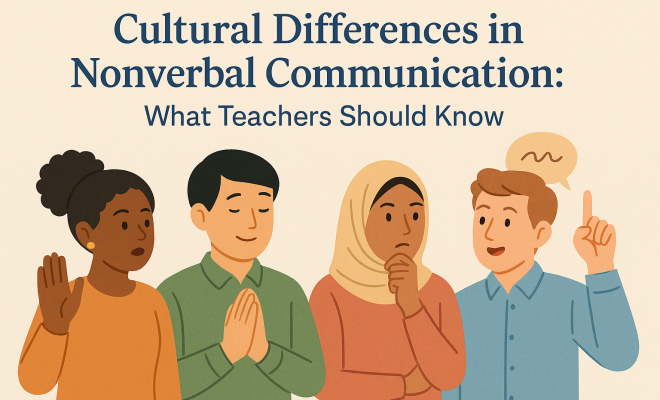
    Teachers: Bridge Cultural Gaps with Nonverbal Communication

    June 23, 2026
    By Matthew Lynch
  • Uncategorized

    13 Best Foods for Kidney Health: An Overview

    July 1, 2026
    By Matthew Lynch
  • Uncategorized

    How to Use Your Wal-Mart Discount Card on Walmart.com

    January 2, 2025
    By Matthew Lynch
  • Uncategorized

    This Game-Changing AI Designed a Pulmonary Fibrosis Drug in Months, Not Years

    August 7, 2026
    By Matthew Lynch
  • Uncategorized

    Jesse Katz’s “The Last Drop”: A Thrilling Dive into Water Scarcity

    January 2, 2025
    By Matthew Lynch

Search

Registration and Login

  • Log in
  • Entries feed
  • Comments feed
  • WordPress.org

Newsletter

Signup for The Edvocate Newsletter and have the latest in P-20 education news and opinion delivered to your email address!

RSS feed: Matthew on Education Week Matthew on Education Week

  • Au Revoir from Education Futures November 20, 2018 Matthew Lynch
  • 6 Steps to Data-Driven Literacy Instruction October 17, 2018 Matthew Lynch
  • Four Keys to a Modern IT Approach in K-12 Schools October 2, 2018 Matthew Lynch
  • What's the Difference Between Burnout and Demoralization, and What Can Teachers Do About It? September 27, 2018 Matthew Lynch
  • Revisiting Using Edtech for Bullying and Suicide Prevention September 10, 2018 Matthew Lynch

About Us

The Edvocate was created in 2014 to argue for shifts in education policy and organization in order to enhance the quality of education and the opportunities for learning afforded to P-20 students in America. What we envisage may not be the most straightforward or the most conventional ideas. We call for a relatively radical and certainly quite comprehensive reorganization of America’s P-20 system.

That reorganization, though, and the underlying effort, will have much to do with reviving the American education system, and reviving a national love of learning.  The Edvocate plans to be one of key architects of this revival, as it continues to advocate for education reform, equity, and innovation.

Newsletter

Signup for The Edvocate Newsletter and have the latest in P-20 education news and opinion delivered to your email address!

Contact

The Edvocate
910 Goddin Street
Richmond, VA 23230
(601) 630-5238
[email protected]
  • situs togel online
  • dentoto
  • situs toto 4d
  • situs toto slot
  • toto slot 4d
Copyright (c) 2026 Matthew Lynch. All rights reserved.