6 Best 3D Printers for Kids: Spark Creativity & Learning
“`html
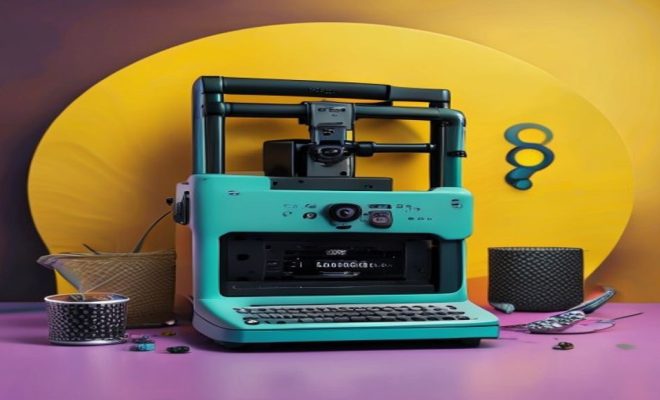
In today’s tech-savvy world, children are more inclined than ever to explore their creativity through technology. One exciting way to do this is through 3D printing. The best 3D printers for kids not only foster imagination but also help young minds learn valuable skills in design and engineering. With so many options available, it can be overwhelming to choose the right printer. To help you make an informed decision, we’ve compiled a comprehensive list of the six best 3D printers suitable for kids.
1. Creality Ender 3: A Great Introduction to 3D Printing
The Creality Ender 3 is frequently cited as one of the best entry-level 3D printers. It’s known for its affordability and user-friendly features, making it ideal for kids who are just starting their 3D printing journey. With a build volume of 220 x 220 x 250 mm, it offers ample space for creating various projects.
One of the standout features of the Ender 3 is its open-source nature, allowing users to modify and upgrade the printer as they gain more experience. This flexibility encourages children to experiment and learn more about the mechanics behind 3D printing. Additionally, it has a heated bed which helps to improve print adhesion and reduce warping, making it easier for new users to achieve high-quality prints.
2. Monoprice Select Mini V2: Compact and Ready to Print
If you’re looking for a compact option that comes fully assembled, the Monoprice Select Mini V2 is a fantastic choice. With a build volume of 120 x 120 x 120 mm, it’s designed for smaller projects, which can be perfect for kids who want to create intricate designs without overwhelming themselves.
This printer features a user-friendly interface with a 3.7-inch color screen, making it easy for children to navigate menus and settings. It also supports various filament types including PLA, ABS, and more, allowing kids to experiment with different materials. The built-in Wi-Fi and USB connectivity are additional advantages, facilitating easy file transfers for printing.
3. Anycubic Kobra Go: Versatile and User-Friendly
For families seeking a versatile 3D printing experience, the Anycubic Kobra Go stands out. It features a large build volume of 250 x 250 x 260 mm, which gives kids the freedom to create larger projects without limitations. This printer is notable for its auto-leveling feature, which makes setup a breeze, even for beginners.
The Kobra Go is compatible with a wide range of filament materials and is equipped with a touchscreen interface that simplifies the printing process. The filament run-out detection feature is also beneficial, ensuring that kids won’t waste material if they run out during a print. This makes the Kobra Go ideal for those who want to explore more complex designs without the fear of frequent failures.
4. FlashForge Adventurer 3: Designed for Safety and Ease
The FlashForge Adventurer 3 is another excellent contender for the best 3D printers for kids. Its fully enclosed design is specifically tailored for safety, making it a top choice for younger users. This printer is especially beneficial for schools or homes with multiple kids, as it prevents accidental contact with hot components.
With a build volume of 150 x 150 x 150 mm, the Adventurer 3 is perfect for smaller projects and educational purposes. It boasts a one-button setup, allowing kids to start printing quickly. The built-in camera is a fun feature that lets users monitor their prints remotely, making it an engaging experience for children who are excited about the printing process.
5. Prusa Mini: Quality Prints and Educational Value
The Prusa Mini is a popular choice among educators and hobbyists alike. With a build volume of 180 x 180 x 180 mm, it’s compact yet powerful, allowing kids to print detailed designs. One of the printer’s most significant features is its high-quality print results, which can inspire children to take on more ambitious projects. (See: 3D printing for kids in education.)
What sets the Prusa Mini apart is its extensive online community and support. This can be incredibly valuable for kids who are learning about 3D printing, as they can find resources, tutorials, and even online classes tailored to their specific needs. The printer’s open-source software also provides a great learning experience, allowing kids to customize their projects and understand the printing process better.
6. Artillery Sidewinder X1: For Future Innovators
Last but not least, the Artillery Sidewinder X1 is an excellent printer for older kids or those who have a bit of experience under their belts. With an impressive build volume of 300 x 300 x 400 mm, this printer can handle large projects, making it suitable for creative minds looking to push the boundaries of their imagination.
Equipped with a touchscreen interface and silent stepper drivers, the Sidewinder X1 operates quietly, making it a great addition to any home. The printer’s direct drive extruder allows for a wider range of filament options, including flexible materials, which can lead to more innovative projects. With advanced features like a filament sensor and power recovery function, it provides a reliable printing experience that encourages kids to take risks in their creative endeavors.
Choosing the Right Printer: What to Consider
When selecting the best 3D printers for kids, there are several factors to consider. First and foremost, think about the age and experience level of the child. Younger kids may benefit from more user-friendly printers with safety features, while older children may enjoy more advanced models that allow for greater customization.
Print quality is another crucial element. Look for printers that offer solid reviews regarding print resolution and material compatibility. Additionally, consider the size of the build area, as this will dictate the scale of projects your child can undertake. Maintenance and support are also key; printers with active communities or customer service can provide invaluable help as kids learn to navigate the technology.
Another factor to consider is the cost of materials. Some 3D printers have specific filament requirements that may be more expensive than others. Make sure to factor in the ongoing cost of supplies when making your decision. Lastly, consider the printer’s footprint and how much space it will require in your home. A compact model can be ideal if space is limited.
Safety First: Essential Tips for Kids Using 3D Printers
While 3D printing can be an incredibly rewarding experience for children, safety must always come first. Here are some essential tips to ensure a safe and enjoyable printing experience:
- Supervision: If your child is young, it’s crucial to supervise them while they’re using a 3D printer. Ensure they understand the risks involved, especially around heated components.
- Educate About Filaments: Some filaments can release fumes when heated. Always print in a well-ventilated area and educate your child on the materials they’re using.
- Handle with Care: Teach children to handle printed objects carefully, as they can be sharp or fragile until fully cooled and solidified.
- Regular Maintenance: Involve children in the maintenance of the printer. This teaches them responsibility and helps them understand how the machine operates.
Additionally, ensure your workspace is organized and free from clutter. This minimizes the risk of accidents and helps children focus better while working on their projects. When teaching your child about safety, use real-world examples to illustrate the importance of following guidelines and ensuring a safe work area.
Incorporating 3D Printing into Learning
3D printing isn’t just a fun hobby; it’s a powerful educational tool that can supplement various subjects, from math to art and engineering. Incorporating 3D printing projects into the curriculum can help kids grasp complex concepts through hands-on experience. For instance, they can create geometric shapes to better understand spatial relationships or design models for science projects.
Moreover, 3D printing fosters skills such as problem-solving, critical thinking, and creativity. As kids learn to design and print their projects, they become more adept at analyzing problems and finding solutions. This process not only engages them in learning but also prepares them for future challenges in STEM fields.
One exciting way to integrate 3D printing into learning is through themed projects. For example, students studying ecosystems can design and print models of various habitats or endangered species. This not only makes learning more enjoyable but also promotes environmental awareness. Similarly, kids can create historical artifacts, enhancing their understanding of history while developing their design skills. (See: Educational benefits of 3D printing.)
Exploring the World of 3D Design Software
To make the most of 3D printing, kids should also familiarize themselves with 3D design software. There are several user-friendly options tailored for children and beginners that can help them bring their ideas to life:
- Tinkercad: This browser-based software is perfect for beginners. Its intuitive interface allows kids to create 3D designs with simple shapes, making it ideal for educational purposes.
- SketchUp Free: A web-based tool that offers a more advanced approach to 3D modeling. Kids can explore more complex designs while still having access to a user-friendly platform.
- FreeCAD: For those interested in engineering and architectural designs, FreeCAD is a great open-source option that provides powerful modeling capabilities.
- Blender: Although it has a steeper learning curve, Blender is a versatile tool for older children who want to explore more artistic and complex designs.
Encouraging kids to experiment with these design tools can ignite their passion for 3D printing and design. Consider setting up challenges or projects that promote creativity and problem-solving, such as designing a custom toy or a functional household item. This not only boosts their skills but also enhances their confidence in using technology.
Real-Life Applications of 3D Printing
Understanding the real-world applications of 3D printing can ignite children’s enthusiasm and creativity. 3D printing is being used in various fields, including healthcare, architecture, and even fashion. For instance, medical professionals use 3D printing to create customized prosthetics and implants that better fit individual patients. This technology greatly enhances patient care and demonstrates how 3D printing can make a difference in people’s lives.
In architecture, 3D printing is revolutionizing how models are built. Architects can create detailed models of their designs in a fraction of the time it takes using traditional methods. This can inspire kids to think about careers in architecture and engineering by showing them the practical applications of their 3D printing skills.
Fashion designers are also utilizing 3D printing to create unique clothing and accessories, pushing the boundaries of creativity. With these examples, children can envision a future where they can use their 3D printing skills in various exciting careers, encouraging them to continue exploring the field.
Frequently Asked Questions (FAQ)
What age is appropriate for kids to start 3D printing?
While there’s no specific age, most children around 8 and older can start using 3D printers, especially with adult supervision. Younger kids can engage in simpler design programs to spark their interest.
Do I need to have technical skills to help my child with 3D printing?
No, many of the best 3D printers for kids come with user-friendly interfaces. Additionally, there are plenty of resources and communities online that provide guidance to beginners. (12 online art resources)
What materials can be used for 3D printing?
The most common material is PLA, which is non-toxic and easy to work with. Other materials include ABS, PETG, and flexible filaments, but these may require more advanced printers.
How long does it take to print a 3D object?
The printing time can vary widely based on the size and complexity of the object. Small items can take as little as 30 minutes, while larger, more intricate designs can take several hours or even days.
Can my child sell the objects they create?
Yes! Many kids use their 3D printing skills to create and sell items online or at local craft fairs, turning their hobby into a small business venture.
Are there any risks associated with 3D printing?
While 3D printing is generally safe, risks include burns from heated components and inhalation of fumes from certain filaments. Ensuring proper ventilation and supervision is key to minimizing these risks.
Additional Considerations for First-Time Buyers
When purchasing a 3D printer for kids, it’s crucial to also consider the long-term aspects of ownership. For instance, check the availability of replacement parts and the reputation of the manufacturer. A company that provides good customer service and readily available parts can make a significant difference in maintaining the printer over time.
Another factor to keep in mind is the community surrounding the printer model. Some printers have vibrant online communities where users share tips, tricks, and troubleshooting advice. This can be particularly helpful for young users as they learn and grow in their 3D printing journey. A supportive community can provide a wealth of resources, from free educational materials to design files that kids can use to start their projects.
Creative Project Ideas for Kids
To inspire your child’s creativity, here are some fun project ideas they can try with their new 3D printer:
- Personalized Keychains: Kids can design their own keychains with their names or favorite shapes, allowing them to express their personality.
- Model Buildings: Encourage them to create miniatures of their dream houses or famous landmarks, merging art and engineering.
- Custom Toys: Let them design unique toys or figures based on their favorite characters or stories, combining creativity with play.
- Educational Aids: Help them create models for school projects, such as the solar system, human anatomy, or geometric shapes for math lessons.
- Jewelry and Accessories: Kids can design their own rings, bracelets, or hair accessories, giving them a chance to explore fashion design.
These projects can serve as great starting points that not only build their confidence but also help them develop a robust understanding of 3D design and printing.
Conclusion: A World of Possibilities Awaits
Investing in one of the best 3D printers for kids opens up a world of creative and educational opportunities. Whether your child is a budding engineer, artist, or inventor, there’s a suitable printer to help them explore their interests and develop new skills. By choosing the right printer, ensuring safety, and integrating 3D printing into learning, you can encourage your child to embrace technology in a fun and engaging way.
“`
Trending Now
- Teaching About Kwanzaa: An Educator’s Guide…
- 2026 – 2027 Best School Districts and 2026 – 2027 Best Elementary Schools in Colorado
- 2026 – 2027 Best School Districts and 2026 – 2027 Best Elementary Schools in Kentucky
- read the full story
- 2026 – 2027 Best School Districts…
Frequently Asked Questions
What is the best 3D printer for kids?
The best 3D printers for kids include the Creality Ender 3 and Monoprice Select Mini V2. The Ender 3 is great for beginners due to its affordability and user-friendly features, while the Select Mini V2 is compact and comes fully assembled, making it easy for kids to start printing right away.
Are 3D printers safe for children?
Yes, many 3D printers are designed with safety features suitable for children. Models like the Creality Ender 3 include a heated bed for better print adhesion while ensuring that kids can learn about 3D printing in a controlled environment. However, adult supervision is recommended, especially during setup and maintenance.
What features should I look for in a kid-friendly 3D printer?
When choosing a kid-friendly 3D printer, look for features such as user-friendly interfaces, safety features, compact designs, and support for multiple filament types. Printers like the Monoprice Select Mini V2 offer easy navigation and are fully assembled, making them ideal for children.
Can kids learn to design with a 3D printer?
Absolutely! 3D printers provide an excellent platform for kids to learn design and engineering skills. Many models, like the Creality Ender 3, encourage experimentation, allowing children to modify and upgrade their printers as they gain experience, fostering creativity and problem-solving abilities.
What types of projects can kids create with a 3D printer?
Kids can create a wide range of projects with a 3D printer, from simple toys and figurines to more complex designs like custom tools or educational models. Printers like the Monoprice Select Mini V2 are especially suited for intricate designs, making it easier for children to bring their creative ideas to life.
What's your take on this? Share your thoughts in the comments below — we read every one.