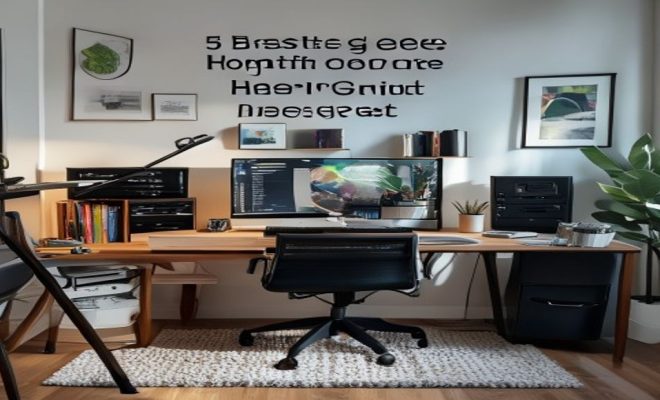
5 Best Gear to Upgrade Your Home Office from OK to GREAT
“`html
In today’s world of remote work and digital collaboration, creating an effective home office is more important than ever. While many of us have transitioned to working from home, the difference between an OK setup and a GREAT one can be significant. Comfort, productivity, and inspiration all stem from your environment, and with the right gear, you can elevate your home office drastically. Here’s a look at five essential upgrades that will help you transform your home office from merely functional to truly exceptional.
1. Ergonomic Chair: Comfort Meets Support
The backbone of your home office setup is undoubtedly your chair. An ergonomic office chair not only enhances comfort but also promotes better posture, reducing strain on your back and neck. Given that many professionals spend upwards of eight hours daily seated, investing in a quality chair shouldn’t be overlooked.
Look for chairs that come with adjustable seat heights, lumbar support, and armrests. Brands like Herman Miller and Steelcase offer options that cater to various needs and body types. A chair with breathable fabric and sufficient cushioning can make long work hours feel less taxing, allowing you to focus on your tasks rather than discomfort.
To ensure you’re choosing the right ergonomic chair, consider testing it out for a few minutes before purchasing. Pay attention to how it feels against your lower back and whether the seat feels adequately cushioned. Research indicates that even minor adjustments in your chair can lead to a significant increase in comfort and productivity.
2. Standing Desk: Flexibility for Your Workflow
Incorporating a standing desk into your home office is another pivotal upgrade. These desks allow you to alternate between sitting and standing, which can combat the fatigue that comes from prolonged sitting. Research indicates that standing desks can improve energy levels, boost productivity, and even enhance mood.
When choosing a standing desk, consider models that are adjustable. This flexibility ensures you can find the perfect height that suits your needs, allowing for seamless transitions throughout the day. Popular options like the Uplift Desk or the Flexispot Electric Height Adjustable Desk provide a variety of features to accommodate different working styles.
Additionally, some standing desks come with built-in memory settings that remember your preferred sitting and standing heights, making it easier to switch positions throughout the day. This small feature can encourage you to stand more often and help reduce the health risks associated with prolonged sitting.
3. High-Quality Monitor: Visual Clarity and Comfort
Your monitor is where you’ll spend most of your digital time, so it’s vital to have a high-quality screen that reduces eye strain while enhancing your work experience. A larger monitor, or even a dual-monitor setup, can create a more immersive work environment, making multitasking and productivity more manageable.
Consider investing in a monitor that boasts features like high resolution (4K or at least 1080p), flicker-free technology, and eye care settings. Brands like Dell and LG offer monitors that are not only functionally superior but also stylish, seamlessly integrating into your office decor.
To further enhance your visual comfort, look into monitor arms that allow you to adjust the position and angle of your screens. This can help you keep the monitor at eye level, reducing neck strain and allowing for a more natural viewing angle. Some even come with a built-in USB hub for convenient connectivity.
4. Desk Organizer: Clutter-Free is the Way to Be
Keeping a tidy workspace is crucial for maintaining focus and productivity. A well-thought-out desk organizer can help you manage your supplies efficiently, ensuring that everything you need is within arm’s reach while minimizing distractions from clutter.
There are many types of desk organizers available, from simple trays to multi-tiered systems. Consider your workflow and what items you need most often. A system that allows for easy access to pens, papers, and other essentials can streamline your processes and enable you to keep your mind on your work, not on searching for your tools. (See: CDC on ergonomics in the workplace.)
Don’t forget about digital clutter as well. Utilize project management software or apps like Trello or Asana, which can serve as a virtual organizer by helping you keep track of tasks, deadlines, and projects without the risk of paper clutter piling up on your desk.
5. Quality Headphones: Sound Isolation for Focus
In a home office, distractions can come from many sources—family members, pets, or even the sounds of the outdoors. Investing in a solid pair of noise-canceling headphones can help you maintain focus by isolating external noise, allowing you to immerse yourself in your work.
Brands like Bose and Sony offer excellent noise-canceling options that not only block out distractions but also provide high-quality audio for video calls and music. Look for features like long battery life and comfort for extended wear. These headphones can be a game-changer during those busy workdays.
Additionally, consider headphones with built-in voice assistant capabilities to manage your schedule or take calls without needing to remove them. This can enhance your workflow, allowing you to stay connected while keeping your focus on tasks at hand.
6. Smart Lighting: Setting the Mood
Lighting plays a crucial role in your workspace. Poor lighting can lead to eye strain and fatigue, while well-placed lighting can boost productivity and enhance mood. Consider upgrading to smart lighting solutions that allow you to adjust brightness and color temperature based on the time of day or your tasks.
Smart bulbs from Philips Hue or LIFX can be programmed to shift from a bright, energizing light during the day to a warmer, more relaxing light in the evening. This versatility can help maintain your energy levels throughout the day, ensuring you’re most productive when it counts.
For added benefits, consider task lighting, such as desk lamps with adjustable brightness settings or color options. A dedicated desk lamp can illuminate specific work areas without overexposing your entire workspace to bright lights, helping you maintain a comfortable ambiance. This builds on top productivity apps.
7. Whiteboard or Corkboard: Creative Organization
Having a visual representation of your tasks, deadlines, or brainstorming ideas can be incredibly beneficial in a home office. A whiteboard or corkboard allows you to jot down important notes or reminders and gives you a place to visually map out projects.
Consider placing your board within your line of sight to keep your goals top of mind. Whether you’re using it for tracking projects or simply for doodling ideas, having a designated space for your thoughts can inspire creativity and keep you organized.
To further enhance your creative organization, think about color-coding your notes or ideas. Using different colors can spark your creativity and make it easier to distinguish between various tasks or projects at a glance.
8. Wi-Fi Extender: Ensure Uninterrupted Connectivity
In our increasingly digital world, a stable internet connection is non-negotiable. A Wi-Fi extender can improve coverage throughout your home office, reducing the chances of dropped connections during crucial meetings or when submitting important work.
When looking for a Wi-Fi extender, opt for models that offer dual-band connectivity and easy setup. Brands like TP-Link and Netgear provide reliable options to ensure that your internet connection remains strong, allowing you to focus on your work without technical interruptions.
Additionally, consider the placement of your router and extender. Ideally, they should be positioned to minimize obstructions, as walls and furniture can weaken the signal. Conducting a speed test at various points in your home can help you find the best spots for optimal performance.
9. Plants: Bringing Nature Indoors
Incorporating plants into your home office can drastically improve your workspace’s ambiance and even your mood. Studies have shown that having greenery around can boost creativity and reduce stress levels. Plants like succulents, snake plants, or peace lilies are low-maintenance options that will thrive in an indoor setting. (See: NIH resources on ergonomic chairs.)
Consider placing a few plants on your desk or nearby shelves for a calming touch. Not only do they improve air quality, but they also serve as a beautiful aesthetic that can enhance your overall workspace feel. If you’re short on space, hanging plants or small tabletop options can provide the greenery you need without taking up valuable real estate.
10. Color Palette: Personalize Your Space
Your workspace should reflect your personality and inspire you. The colors around you can influence your mood and productivity, so choose a palette that resonates with you. Cool tones like blues and greens are known for promoting calmness and focus, while warmer tones can foster creativity and energy.
Consider whether you want your space to feel bright and energetic or calm and subdued. You can achieve this through wall paint, artwork, or even your office accessories. A cohesive color scheme can make your office feel like a unified space, making it more enjoyable to spend time in.
11. Privacy Screen or Room Divider: Creating Boundaries
Working from home can blur the lines between your personal and professional lives. A privacy screen or room divider can help you create a dedicated workspace, minimizing distractions and helping you focus. This setup can also signal to others in your home that you’re in “work mode” and should not be disturbed.
Look for dividers that are both functional and aesthetically pleasing. Options like folding screens or bookcases can create a physical barrier while also adding style to your office. You can even use fabric or curtains for a softer look, allowing you to easily adjust the space as needed.
12. Ergonomic Accessories: Supporting Your Health
Beyond your chair and desk, consider other ergonomic accessories that can enhance your comfort. Items like a footrest, wrist rests, or an ergonomic keyboard can significantly improve your posture, reducing strain over long working hours. Investing in these small tools can pay off in less fatigue and discomfort.
Footrests can encourage better posture while sitting, keeping your feet flat on the ground and legs at a right angle. Wrist rests help to maintain proper wrist positioning, especially if you spend long hours typing. There are various options available in the market that cater to different preferences and budgets.
13. Power Management: Keep Everything Charged
With all the gadgets we use, managing power effectively is crucial. Consider investing in surge protectors and charging stations that can accommodate various devices simultaneously, ensuring that your phone, laptop, and other electronics are always charged and ready to go.
Look for models that feature multiple USB ports and outlets, helping to streamline your workspace. This organization helps reduce clutter while keeping your essential devices powered throughout your workday.
14. Sound Machine or Ambient Sounds
If you find it challenging to concentrate in a home office filled with distractions, a sound machine or ambient sound app can drown out background noise and help you focus. Different sounds, like rain or white noise, can create a calming atmosphere, making it easier to get into a productive mindset.
Many modern sound machines come with various sound options and even timers, allowing you to customize your auditory environment. Alternatively, apps that offer ambient soundscapes can be particularly useful, letting you choose sounds that suit your style and preferences.
15. FAQ: Home Office Upgrades
What are the benefits of upgrading my home office?
Upgrading your home office can lead to improved productivity, comfort, and overall job satisfaction. By creating an environment that caters to your work style and needs, you can reduce distractions and enhance your workflow.
How can I determine which upgrades are worth the investment?
Consider your daily work habits and pain points. If you often find yourself uncomfortable or distracted, focus on ergonomic furniture and organization tools. Assess your budget and prioritize upgrades that will have the most significant impact on your productivity.
Are there inexpensive home office upgrades I can make?
Absolutely! Simple changes like decluttering your workspace, adding plants, or rearranging furniture can significantly enhance your environment without breaking the bank. Investing in small organizational tools can also make a big difference.
How often should I consider upgrading my home office?
It’s good to reevaluate your workspace periodically, perhaps every year or two, to see if your needs have changed. As you adapt to new work habits or technologies, some upgrades may become necessary to maintain a productive environment.
Can I create a home office on a budget?
Definitely! Many successful home office setups are built using budget-friendly furniture from thrift stores, DIY projects, and multi-functional items. Focus on the essentials that improve your comfort and productivity, and gradually add more as your budget allows.
What are some creative ways to personalize my home office?
Personalizing your home office can be as simple as displaying your favorite artwork, family photos, or personal mementos. Consider creating a vision board that reflects your goals and aspirations. Using a cohesive color scheme with your accessories can also help create a unified look that represents your style.
How can I improve my home office’s acoustics?
Improving acoustics can enhance your work experience, especially for video calls or focused tasks. Consider adding sound-absorbing materials like rugs, curtains, or acoustic panels on the walls. Positioning furniture effectively can also help reduce echoes and background noise, making your workspace quieter and more conducive to concentration.
What technology upgrades should I consider for my home office?
With technology rapidly evolving, consider upgrading your computer hardware for better performance, such as boosting RAM or using a solid-state drive (SSD). A high-quality webcam, external microphone, and lighting setup can enhance video conferencing experiences, making you look and sound more professional during virtual meetings.
Are there specific home office upgrades for small spaces?
For small spaces, multifunctional furniture like foldable desks or wall-mounted shelves can save valuable floor space. Use vertical storage solutions, such as tall shelves or pegboards, to keep essentials organized without cluttering your workspace. A minimalist approach will help you maintain an open and inviting atmosphere.
By implementing these home office upgrades, you can significantly enhance your workspace, leading to improved productivity and comfort. A well-thought-out office environment not only contributes to your performance but also fosters a sense of well-being as you tackle your daily tasks. Whether you’re working full-time from home or just a few days a week, investing in these essential upgrades will empower you to create an inspiring and efficient workspace.
“`
Trending Now
Frequently Asked Questions
What are the best upgrades for a home office?
The best upgrades for a home office include an ergonomic chair for comfort and support, a standing desk for flexibility, high-quality monitors for better visibility, proper lighting to reduce eye strain, and cable management solutions to keep your workspace organized.
How can I make my home office more comfortable?
To make your home office more comfortable, invest in an ergonomic chair that supports good posture, incorporate adjustable furniture like a standing desk, and ensure your workspace is well-lit and organized. Personal touches like plants or artwork can also enhance comfort.
What features should I look for in an ergonomic chair?
When choosing an ergonomic chair, look for adjustable seat height, lumbar support, and armrests. Additionally, consider breathable fabric and sufficient cushioning to ensure comfort during long work hours, which can significantly enhance productivity.
Are standing desks worth it?
Yes, standing desks are worth it as they allow you to alternate between sitting and standing, which can reduce fatigue, improve energy levels, and enhance overall productivity. Many users report a boost in their mood and focus when using a standing desk.
How can I improve my home office setup?
To improve your home office setup, focus on ergonomic furniture, such as a supportive chair and a standing desk, invest in quality monitors, ensure adequate lighting, and keep your workspace organized with cable management solutions. Personalize your space to inspire creativity and comfort.
What did we miss? Let us know in the comments and join the conversation.