Best Graphing Calculators for High School Math
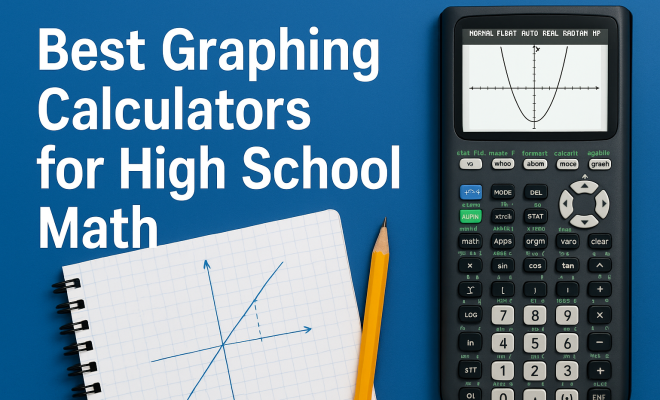
“`html
In today’s educational landscape, grappling with math concepts can be daunting for many high school students. Thankfully, the best graphing calculators offer a lifeline, making complex calculations, visualizations, and advanced functionalities accessible. Whether you’re plotting equations or analyzing data sets, these powerful tools can significantly enhance your learning experience. In this article, we’ll explore the eight best graphing calculators to consider for high school math, breaking down their features, benefits, and what sets each apart.
1. Texas Instruments TI-84 Plus CE: A Student Favorite
The Texas Instruments TI-84 Plus CE has become iconic among high school students. Known for its versatility and user-friendly interface, this calculator supports a range of math topics from algebra to calculus. With a vibrant color display, it allows students to visualize graphs and functions clearly.
One of the standout features of the TI-84 Plus CE is its capacity to handle multiple functions simultaneously. Students can graph equations side by side, analyze intersections, and even perform statistical analyses. Plus, the calculator’s rechargeable battery adds convenience, ensuring it remains powered throughout long study sessions or exams. Many schools also permit its use during standardized testing, making it a wise investment for students.
Additionally, the TI-84 Plus CE includes an extensive library of apps that can enhance its capabilities. For instance, the “Inequalities” app helps students understand how to graph inequalities effectively, while the “Finance” app allows for practical applications in real-world financial scenarios. These tools make the TI-84 Plus CE not just a calculator, but a comprehensive learning resource.
2. Casio FX-9750GII: Affordable and Effective
The Casio FX-9750GII is an excellent option for students looking for a budget-friendly graphing calculator. Despite its lower price point, it offers robust functionalities, including a high-resolution display and easy-to-use interface. It’s particularly suitable for students who are just beginning to explore the world of graphing calculators.
This model supports a variety of functions, including statistical analysis and complex number calculations. Students can easily navigate through menus, making it less intimidating for those new to graphing calculators. The Casio FX-9750GII is also lightweight and portable, making it easy for students to carry in their backpacks.
In addition to its affordability, the FX-9750GII is equipped with a variety of built-in functions that cover a wide array of mathematics. For instance, it includes various pre-loaded statistical calculations, such as regression analysis, which can be particularly helpful for students tackling data analysis projects. Its simplicity does not detract from its power, making it an excellent choice for high school students.
3. HP Prime Graphing Calculator: A Modern Approach
The HP Prime is a sophisticated graphing calculator that combines advanced technology with a sleek design. It features a full-color touchscreen and a user-friendly interface that allows for intuitive navigation through various functions. This calculator is especially beneficial for high school students pursuing advanced math courses.
One of the most impressive aspects of the HP Prime is its dynamic graphing capabilities. Students can manipulate graphs in real-time, which aids in understanding complex functions and their behaviors. Additionally, the calculator supports CAS (Computer Algebra System), making it easier for users to perform symbolic algebra operations. This feature can be a game changer for students tackling higher-level mathematics.
What’s more, the HP Prime offers connectivity options that many of its competitors do not. Students can connect their HP Prime to a computer or other devices, allowing for easy file transfers and software updates. This feature ensures that the calculator remains relevant and up-to-date with the latest educational tools and applications.
4. Sculpting Solutions with the TI-Nspire CX II: A Comprehensive Tool
The TI-Nspire CX II offers a comprehensive toolset for students in high school math. Its sophisticated software enables users to explore mathematical concepts beyond basic calculations. The calculator features a color screen, allowing for vibrant graphing and visualization.
What sets the TI-Nspire CX II apart is its ability to create dynamic geometrical constructions and models. This capability encourages students to engage with math in a more meaningful way, moving from rote memorization to genuine understanding. Furthermore, the calculator allows for easy sharing of files, promoting collaborative learning among peers.
In addition, the TI-Nspire CX II integrates graphing capabilities with programming features. Students can write and execute their own programs, which can aid in learning programming concepts alongside mathematics. This feature not only enhances the learning experience but also prepares students for future studies in tech-related fields. (See: Graphing calculator overview.)
5. Sharp EL-9900: Simplicity Meets Functionality
The Sharp EL-9900 graphing calculator is an excellent choice for students who prefer simplicity without sacrificing functionality. It features a straightforward layout and easy-to-navigate menus. This model is quite user-friendly, making it perfect for students who need a reliable calculator for their math classes.
Beyond basic graphing capabilities, the Sharp EL-9900 supports a wide range of functions including statistical distributions and matrix calculations. Its durability is a huge plus for students who may be prone to dropping their calculators or tossing them in their bags. Plus, with a reasonable price point, it’s an affordable option for students and parents alike.
Moreover, the Sharp EL-9900 comes with a comprehensive user manual that provides detailed explanations and examples. This additional resource can be invaluable for students learning to navigate more complex calculations and graphing tasks, making it easier to grasp challenging concepts quickly.
6. Texas Instruments TI-83 Plus: Timeless Classic
The TI-83 Plus remains a timeless classic in the world of graphing calculators. Though it’s been around for years, its reliability and functionality make it a staple in many high school classrooms. This calculator is particularly favored for its ease of use and solid performance across various math topics.
With a simple interface, the TI-83 Plus allows students to graph functions, analyze data, and perform statistical calculations without becoming overwhelmed. While it may lack some of the advanced features found in newer models, it continues to be a dependable choice for students needing a solid graphing calculator for their coursework.
Furthermore, the TI-83 Plus is often complemented by a wealth of online resources and community forums where students can share tips and obtain assistance with specific functions. This sense of community can enhance the learning experience, making it easier for students to resolve difficulties they may encounter while using the calculator.
7. Desmos Graphing Calculator: An Online Alternative
While traditional graphing calculators have long been the standard in classrooms, the Desmos Graphing Calculator brings a modern twist. As a free online tool, Desmos offers students a powerful platform for graphing functions and visualizing mathematical concepts without the need for a physical device. This accessibility makes it an attractive option for students who may prefer a digital interface.
What sets Desmos apart is its interactive capabilities. Students can manipulate graphs with ease, adding sliders to observe changes in real-time. Additionally, Desmos provides a wealth of resources, including tutorials and activities, making it not only a tool but a learning companion. It’s particularly beneficial for collaborative projects, as students can work together in real-time, regardless of where they are.
Desmos also has a built-in feature for teaching and learning, called “Desmos Activities,” which includes pre-created lessons that guide students through various mathematical concepts. These activities are designed to engage students and foster a deeper understanding of the material, making Desmos not just a calculator, but an entire educational platform. Related reading: apps for high school math.
8. Graphing on the Go with the Casio FX-CG50: Versatile and User-Friendly
The Casio FX-CG50 is a versatile graphing calculator that appeals to students who need functionality and portability. It features a vivid color display, making it easier to differentiate between graphs and functions. Its extensive memory allows students to store multiple equations and data sets, providing flexibility during calculations.
This calculator excels in providing dynamic graphing capabilities, allowing students to visualize complex mathematical relationships. The user interface is intuitive, making it easy for students to quickly access essential functions. Its affordability and advanced features make the Casio FX-CG50 a worthy contender among the best graphing calculators available.
Moreover, the Casio FX-CG50 allows for 3D graphing, providing a unique advantage for students studying advanced mathematics or pursuing STEM-related fields. This feature enables a deeper understanding of multi-dimensional functions and prepares students for college-level math with practical applications.
Factors to Consider When Choosing the Best Graphing Calculator
When it comes to selecting the best graphing calculator, several factors come into play. Understanding these factors can help you make the right decision, tailored to your learning needs.
1. Budget
Graphing calculators can vary widely in price. While investing in a high-end model might provide more features, there are affordable options that still deliver essential functionalities. Consider what you’re willing to spend and look for calculators that fit your budget without sacrificing necessary features. (See: Health behaviors in education.)
2. Features
Different calculators come equipped with various features. Determine which functionalities are most important for your studies. For example, if you’re delving into calculus, you might want a calculator with advanced graphing capabilities and CAS support. On the other hand, if you’re just starting with algebra, a simpler model may suffice.
3. Ease of Use
The user interface is crucial. A complicated layout can hinder your learning process, so opt for a calculator with a user-friendly interface that you find intuitive. Many students prefer calculators that come with a tutorial or guide to help them get started quickly.
4. School Requirements
Before making a purchase, check with your school or educators about which calculators are permitted during tests. Some schools have specific requirements or restrictions on certain models, particularly when it comes to standardized testing.
5. Longevity and Durability
As with any educational tool, consider the durability of the calculator. Students often carry their calculators in backpacks where they can get jostled around, so a sturdy model will last longer and give you more value for your investment.
FAQ: Everything You Need to Know About Graphing Calculators
1. What is a graphing calculator used for?
A graphing calculator is used to plot graphs, solve equations, and analyze data. It can perform advanced calculations and visualize mathematical concepts, making it an essential tool for students studying algebra, calculus, and other advanced math topics.
2. Are graphing calculators allowed on standardized tests?
Most standardized tests do allow graphing calculators, but specific models may be prohibited. It’s essential to check the testing guidelines or ask your instructor to ensure compliance.
3. Can you program a graphing calculator?
Many graphing calculators, such as the TI-Nspire and HP Prime, allow programming. This feature lets users create custom functions or automate calculations, enhancing the calculator’s utility.
4. What’s the difference between a graphing calculator and a scientific calculator?
A scientific calculator can handle basic calculations and functions but lacks the graphing capabilities of a graphing calculator. Graphing calculators can visualize data and functions, making them more suitable for advanced studies in math and science. For more on this, see budget-friendly app development tips.
5. Do I need a graphing calculator for high school math?
While not every math course requires a graphing calculator, many advanced classes such as algebra, calculus, and statistics benefit significantly from their use. They help students visualize problems and understand complex concepts more easily.
6. How do I maintain my graphing calculator?
To maintain your graphing calculator, keep it in a protective case when not in use, avoid exposing it to extreme temperatures, and ensure that the batteries are replaced or recharged as needed. Regularly clearing old data can also help keep it running smoothly.
New Trends in Graphing Calculators: What to Expect
As technology continues to evolve, graphing calculators are adapting to meet the needs of today’s students. One of the biggest trends is the increase in connectivity features. Many new models now allow Bluetooth or USB connections, enabling students to share data and collaborate more easily. This connectivity can foster a more interactive learning environment, especially in group projects.
Moreover, the integration of apps and software is becoming more commonplace. Advanced calculators are now being designed to support third-party applications that can expand their functionality beyond traditional calculations. For instance, some calculators now offer integration with platforms like Google Classroom, allowing for seamless sharing of data and results. (See: The role of calculators in education.)
Another exciting development is the push towards sustainability. Some manufacturers are focusing on creating rechargeable devices that reduce the need for disposable batteries, aligning with a growing trend towards environmentally friendly products. This not only benefits the environment but also saves students money over time.
The rise of online calculators is also influencing the market. Cloud technology is paving the way for calculators that can save work online, making it easier for students to access their projects from any device. This flexibility can greatly enhance students’ study habits, allowing for a more dynamic learning experience.
Expert Perspectives on Choosing Graphing Calculators
When it comes to selecting the best graphing calculator, expert opinions can offer valuable insights. Many educators recommend that students consider their specific needs based on their coursework. For example, a teacher at a local high school noted that students should look for models that offer tutorials or built-in guides to assist with complex functions and reduce frustration during learning.
Additionally, experts suggest that students engage with peers or teachers to discuss their experiences with different models. This communal knowledge can help students make more informed decisions and find models that they might not have considered alone. A recent survey of high school math teachers revealed that 75% believe that hands-on experience with multiple calculators during class helps students understand their features better.
Comparing Popular Models: Which One is Right for You?
With so many options available, comparing features of popular models can help narrow down the choices. For instance, the TI-84 Plus CE is often favored for its extensive app library, while the HP Prime is celebrated for its dynamic graphing capabilities. Students leaning towards statistics may find the Casio FX-9750GII appealing due to its straightforward statistical analysis tools.
Those interested in programming might benefit from the TI-Nspire CX II, which offers programming capabilities that can enhance both math and coding skills. When it comes to cost-effectiveness, the Sharp EL-9900 remains a strong choice, balancing basic features with affordability.
Ultimately, the best graphing calculator for you will depend on your specific needs, preferences, and the subjects you are studying. Taking the time to evaluate each option can pay off significantly in terms of enhancing your understanding of mathematical concepts and improving your overall academic performance.
Conclusion: Choosing the Right Graphing Calculator for You
Selecting the best graphing calculator ultimately depends on your individual needs and learning style. Factors such as budget, the level of math you’re studying, and personal preferences for interface and design all play a role in making the right choice. Whether you’re drawn to the advanced features of the TI-Nspire CX II or the simplicity of the Casio FX-9750GII, there’s a perfect calculator out there for you.
Investing in a quality graphing calculator can significantly enhance your understanding of mathematical concepts and bolster your confidence. As technology continues to evolve, these tools will remain essential in helping students navigate the complexities of high school math and beyond.
“`
Trending Now
Frequently Asked Questions
What is the best graphing calculator for high school students?
The Texas Instruments TI-84 Plus CE is widely regarded as the best graphing calculator for high school students due to its user-friendly interface, versatility in handling various math topics, and extensive library of apps that enhance learning.
Are graphing calculators allowed on standardized tests?
Yes, many standardized tests allow the use of graphing calculators, particularly the Texas Instruments TI-84 Plus CE, which is commonly accepted in schools and testing environments.
What features should I look for in a graphing calculator?
When selecting a graphing calculator, consider features like a clear display, the ability to graph multiple functions simultaneously, support for various math topics, and additional apps that can aid in learning and problem-solving.
Is there a budget-friendly graphing calculator for students?
Yes, the Casio FX-9750GII is an affordable and effective option for students, providing essential graphing capabilities without breaking the bank, making it ideal for those on a budget.
How can a graphing calculator help with high school math?
A graphing calculator helps students visualize complex equations, analyze data sets, and perform advanced calculations, making it an invaluable tool for understanding and mastering high school math concepts.
Agree or disagree? Drop a comment and tell us what you think.