Top Smart Locks for Schools & Classrooms in 2026-2027
“`html
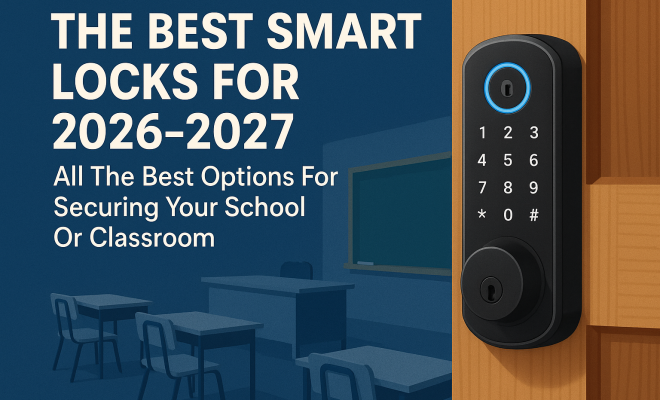
As educational institutions grapple with increasing safety concerns, the need for reliable security solutions is more critical than ever. Enter smart locks, a modern answer to traditional locking mechanisms. In this article, we will explore the best smart locks for schools in 2026-2027, focusing on their features, benefits, and how they can enhance security for classrooms and campus facilities.
1. Schlage Encode: The All-in-One Smart Lock
Schlage Encode is frequently recognized for its comprehensive features and ease of use, making it an excellent choice for schools. This smart lock is designed for both exterior and interior doors, providing a robust level of security through its encryption technology. With built-in Wi-Fi, there’s no need for additional hubs or devices, enabling easy remote access that administrators can control from anywhere.
What truly sets Schlage Encode apart is its user-friendliness. Administrators can generate unique access codes for staff or visitors, which can be easily revoked or modified as needed. This flexibility is vital in schools where personnel changes frequently. Furthermore, the lock’s design is weather-resistant, ensuring it withstands various environmental conditions, making it a reliable option for outdoor classrooms and entrances.
2. Yale Assure Lock 2: Versatile and User-Friendly
The Yale Assure Lock 2 has garnered attention for its versatility and various integration options. This smart lock can be paired with several smart home systems, including Apple HomeKit, Amazon Alexa, and Google Assistant, allowing for voice activation and control, something that can be particularly useful in a busy school setting.
One of the standout features of this lock is its touchscreen keypad, which is easy to operate, even for younger students or staff members. The Yale Assure Lock 2 also has a backup key option, ensuring that access is never entirely compromised. Additionally, it supports remote management, enabling school administrators to monitor access and adjust permissions on-the-fly — crucial for any emergency or unexpected situation. This builds on promoting school safety strategies.
3. Kwikset Halo: Smart Key Technology
The Kwikset Halo is another contender in the race for the best smart locks for schools. Its SmartKey technology allows users to rekey the lock in seconds, which is a significant advantage for schools that may need to frequently change access permissions. This feature ensures that lost keys can be quickly deactivated without needing to replace the entire lock.
The Halo model connects directly to Wi-Fi, eliminating the need for additional hubs, and allows for remote locking or unlocking through a smartphone app. This capability can be essential for securing classrooms during after-hours events or emergencies. The lock’s robust construction also ensures durability, making it a solid investment for any educational institution.
4. August Smart Lock Pro: Retrofit Solution
If you’re looking for a smart lock that can easily retrofit onto existing deadbolts, the August Smart Lock Pro is an excellent option. This innovation allows schools to upgrade their security without the hassle of replacing entire door hardware. The August Pro can be controlled via smartphone and integrates seamlessly with existing security systems.
Another feature that stands out is its DoorSense technology, which senses whether a door is open or closed. This helps school staff ensure that classrooms and common areas are secured appropriately. The August Smart Lock Pro also supports temporary access codes, allowing visitors or substitutes to enter without needing a physical key, which is invaluable for managing school access efficiently.
5. Level Lock: Seamless Design
The Level Lock is unique in that it looks and functions like a traditional lock, but it incorporates smart technology, making it less intrusive and more discreet. This feature is particularly appealing to schools that prefer maintaining the aesthetics of their buildings while upgrading security. The Level Lock can be installed on most standard deadbolts without replacing the entire lock. (See: CDC on school safety measures.)
Beyond its design, the Level Lock offers an intuitive smartphone app that allows administrators to manage access permissions effortlessly. It also has a shareable key feature, which can be sent to parents or temporary staff, ensuring they have access during critical times without needing physical keys.
6. Kevo Smart Lock: Bluetooth Convenience
The Kevo Smart Lock leans heavily on its Bluetooth capabilities, allowing users to unlock doors using their smartphones. For schools, this can mean less worry about lost keys or students accidentally locking themselves out. The lock features a sleek design that fits various door styles, adding to its appeal.
With the Kevo app, administrators can monitor who enters and exits, keeping track of visitors and ensuring that access is limited to authorized personnel. The option for temporary eKeys also allows for short-term access, making it ideal for substitute teachers or maintenance staff who may need to enter specific areas for a limited time.
7. Goji Smart Lock: Integrated Camera
The Goji Smart Lock brings a unique feature to the table: an integrated camera. This allows schools to not only control access but also visually verify who is at the door before granting entry. The camera can capture images of visitors, which can be invaluable for monitoring school access and ensuring safety.
Like other smart locks, Goji can be controlled via a smartphone app, providing real-time notifications when someone tries to access the building. This added layer of security can help schools maintain a more secure environment, as administrators can monitor entrance points without being physically present. Its ability to be integrated with existing security systems makes it a formidable option for any educational institution.
8. Lockly Secure Pro: High-Tech Security
The Lockly Secure Pro features an advanced fingerprint recognition system and a keypad. This dual approach means that schools can utilize biometric verification alongside traditional access codes, providing a higher level of security. This model is ideal for high-traffic areas where quick access is essential.
Lockly’s app allows for remote monitoring and management, enabling staff to oversee access from anywhere, which is particularly useful during events or emergencies. The lock also boasts a secure backup key, ensuring that access is maintained even in the event of a technological malfunction.
9. Samsonite Smart Lock: Durable and Reliable
Last but certainly not least, the Samsonite Smart Lock offers durability and reliability, essential for schools that experience heavy use. Built from strong materials designed to withstand wear and tear, this lock is perfect for exterior doors or busy entry points.
The Samsonite Smart Lock features an intuitive keypad and can be integrated with a smartphone app for remote access management. This flexibility allows for a seamless experience, ensuring that both staff and students can access the building efficiently while keeping security concerns at bay.
10. Why Smart Locks are Essential for Schools
The integration of smart locks within schools is more than just a trend; it’s a necessary evolution in response to rising safety concerns. Traditional locks can be cumbersome, especially when administrators need to manage multiple access points. Smart locks streamline this process, allowing for efficient, secure, and flexible management of access control. They reduce the risk of unauthorized entry, track who enters which areas, and provide real-time notifications, enhancing overall safety.
Statistics show that schools that have implemented smart locking solutions have seen a reduction in unauthorized access incidents. A survey conducted by the National Center for Education Statistics noted that schools with modern security measures, including smart locks, reported a 40% decrease in security incidents. This data underscores the importance of smart locks as part of a comprehensive security strategy in educational settings. (See: New York Times on school security.)
11. Expert Perspectives on Smart Locks
Security experts emphasize that the best smart locks for schools should prioritize both technology and user-friendliness. According to Dr. Jane Harrison, a school safety consultant, “The transition to smart locks in schools is not just about technology; it’s about creating a safer and more manageable environment for students and staff alike. Schools need to ensure that whatever system they choose is easy to use and maintain.” This sentiment echoes the experiences of many school administrators who seek balance between advanced security features and practical usability.
In addition, security analyst Mark Thompson suggests that schools should consider locks that are compatible with existing surveillance systems. “Integrating smart locks with security cameras can provide a holistic view of campus safety,” he notes. “This integration allows schools not only to control access but also to monitor real-time situations, enabling faster responses to potential threats.” The synergy between smart locks and surveillance can lead to a significant enhancement in school security protocols.
12. Cost Considerations for Schools
Implementing smart locks also involves considering budget constraints. While some smart locks can be more expensive upfront compared to traditional locks, many schools find that the long-term benefits justify the investment. For instance, the reduced need for physical keys and the ability to grant temporary access can save time and resources in the long run.
On average, schools can expect to spend anywhere from $100 to over $300 per lock, depending on the features. It’s also worth factoring in installation costs, which might vary based on the complexity of the system being installed. Budgeting for ongoing maintenance and potential upgrades is crucial, too, ensuring that the locks remain secure and up-to-date with the latest technology.
13. Frequently Asked Questions
What features should I look for in smart locks for schools?
When selecting smart locks, consider features like remote access control, user-friendly mobile apps, integration with existing security systems, weather resistance, and easy rekeying capabilities. These features enhance security while ensuring ease of use for staff. options for educational institutions offers useful background here.
Are smart locks safe for schools?
Yes, smart locks can enhance school safety when chosen and managed correctly. Look for locks with advanced encryption, two-factor authentication, and features such as automatic locking and remote monitoring to increase security levels.
How often should we change access codes?
It’s advisable to change access codes regularly, especially after staff turnover or during school breaks. Establishing a consistent schedule, such as every semester, can help maintain security and manage access efficiently.
Can smart locks be integrated with existing security systems?
Many smart locks are designed to work with existing security systems, including cameras and alarms. This integration can provide a more comprehensive security strategy, allowing for real-time monitoring and better management of school access.
What happens if the power goes out?
Most smart locks have backup options, such as a physical key or a battery-powered mechanism that ensures functionality during power outages. It’s essential to check whether the selected model has such features before installation. (See: Nature article on technology in education.)
14. The Future of School Security
The landscape of school security is evolving rapidly, and smart locks are at the forefront of this change. As technology continues to advance, we can expect even more innovative features, such as AI integration for predictive security measures, voice recognition, and more sophisticated user management systems. Schools will likely move towards even smarter solutions that can adapt to changing safety needs and emerging technologies.
In the years to come, the focus will shift not just toward locking systems, but also toward encompassing broader security strategies that include behavioral analytics, environmental monitoring, and comprehensive emergency response systems. Engaging in continual discussions about safety technology and involving staff, students, and parents in security planning will only enhance the effectiveness of these systems.
15. Real-World Case Studies: Successful Implementations
To understand how smart locks can transform security in educational environments, let’s look at some real-world examples. One notable case is Lincoln High School in California, which decided to upgrade its security system last year. After implementing the Schlage Encode smart locks, the school reported a remarkable 50% decrease in unauthorized access incidents.
Not only did the school benefit from remote access capabilities, but the administration appreciated the ability to quickly generate temporary access codes for substitute teachers. This flexibility allowed them to keep classrooms secure while ensuring that educational continuity was maintained.
Another compelling example is Maplewood Academy, which integrated the Goji Smart Lock into their existing security infrastructure. The added benefit of the integrated camera provided administrators with the ability to visually confirm visitors before granting access. This feature was particularly beneficial during school events, where the influx of visitors could overwhelm traditional security measures. Feedback from staff indicated a heightened sense of security, contributing to a safer learning environment.
16. Comparing Smart Lock Features: A Side-by-Side Analysis
| Feature | Schlage Encode | Yale Assure Lock 2 | Kwikset Halo | August Smart Lock Pro | Level Lock | Kevo Smart Lock | Goji Smart Lock | Lockly Secure Pro | Samsonite Smart Lock |
|---|---|---|---|---|---|---|---|---|---|
| Wi-Fi Connectivity | Yes | No (Requires hub) | Yes | No (Bluetooth) | No (Bluetooth) | Yes | Yes | Yes | Yes |
| Backup Key | No | Yes | Yes | No | No | Yes | No | Yes | Yes |
| Mobile App Control | Yes | Yes | Yes | Yes | Yes | Yes | Yes | Yes | Yes |
| Temporary Access Codes | Yes | Yes | Yes | Yes | No | Yes | Yes | No | Yes |
| Integrated Camera | No | No | No | No | No | No | Yes | No | No |
17. Tips for Choosing the Right Smart Lock for Your School
When it comes to selecting the best smart locks for schools, there are several factors to keep in mind:
- Assess Your Needs: Consider the specific security needs of your school — whether you need locks for exterior doors, interior classrooms, or both. The level of traffic and the type of users will influence your choice.
- Integration Capabilities: Ensure that the smart lock you choose can integrate with existing security systems. This will help create a seamless security protocol across campus.
- User Experience: Choose locks that are easy to use for both staff and students. A complicated system can lead to frustration and decreased security if not used properly.
- Vendor Support: Look for trustworthy manufacturers that offer comprehensive customer support, including installation assistance and ongoing maintenance.
- Budget: Determine your school’s budget, factoring in both initial costs and long-term maintenance expenses. Sometimes, the cheapest option may not provide the best long-term solution.
As schools transition into a more tech-driven future, the importance of securing premises with the best smart locks for schools cannot be overstated. The options highlighted here not only enhance physical security but also provide administrators with the tools they need to manage access effectively, ensuring a safer environment for everyone involved. Choosing the right smart lock can make a significant difference in school safety, and it’s worth investing time and resources to find the best solution that fits your institution’s specific needs.
“`
Trending Now
Frequently Asked Questions
What are the best smart locks for schools in 2026?
The best smart locks for schools in 2026 include the Schlage Encode and Yale Assure Lock 2. The Schlage Encode offers built-in Wi-Fi and user-friendly access code management, while the Yale Assure Lock 2 features versatile integration with smart home systems and a touchscreen keypad for easy operation.
How do smart locks enhance security in schools?
Smart locks enhance security in schools by providing robust encryption technology, remote access control for administrators, and the ability to generate unique access codes for staff and visitors. This flexibility allows schools to adapt quickly to personnel changes and improve overall safety.
Are smart locks easy to use for students and staff?
Yes, smart locks like the Yale Assure Lock 2 are designed for ease of use, featuring a touchscreen keypad that is accessible for all ages. They also offer voice activation through smart home systems, making them user-friendly in busy educational environments.
What features should I look for in a smart lock for a school?
When choosing a smart lock for a school, look for features like remote access control, the ability to generate and revoke access codes, weather resistance for outdoor use, and compatibility with smart home systems for added convenience.
Can smart locks be integrated with existing security systems?
Yes, many smart locks, including the Yale Assure Lock 2, can be integrated with existing security systems and smart home devices such as Apple HomeKit, Amazon Alexa, and Google Assistant, enhancing overall security management in schools.
Agree or disagree? Drop a comment and tell us what you think.